There are three levels of content organization in CourseArc: course, module, and page. A course contains one or more modules; and modules contain one or more pages.
The term used for the second level of organization can be changed from the default term, Module, to Session, Lesson, or Other (which allows for a user-specified term) by a System Administrator, Course Administrator, or Course Leader.
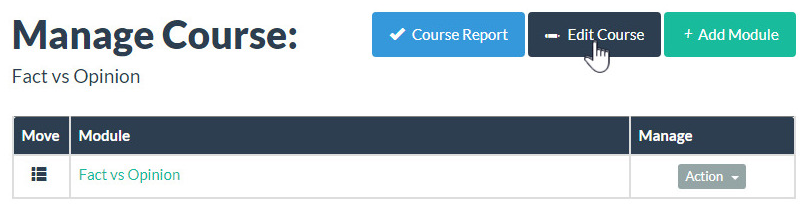
- Select the Edit Course button from the Manage Course view.
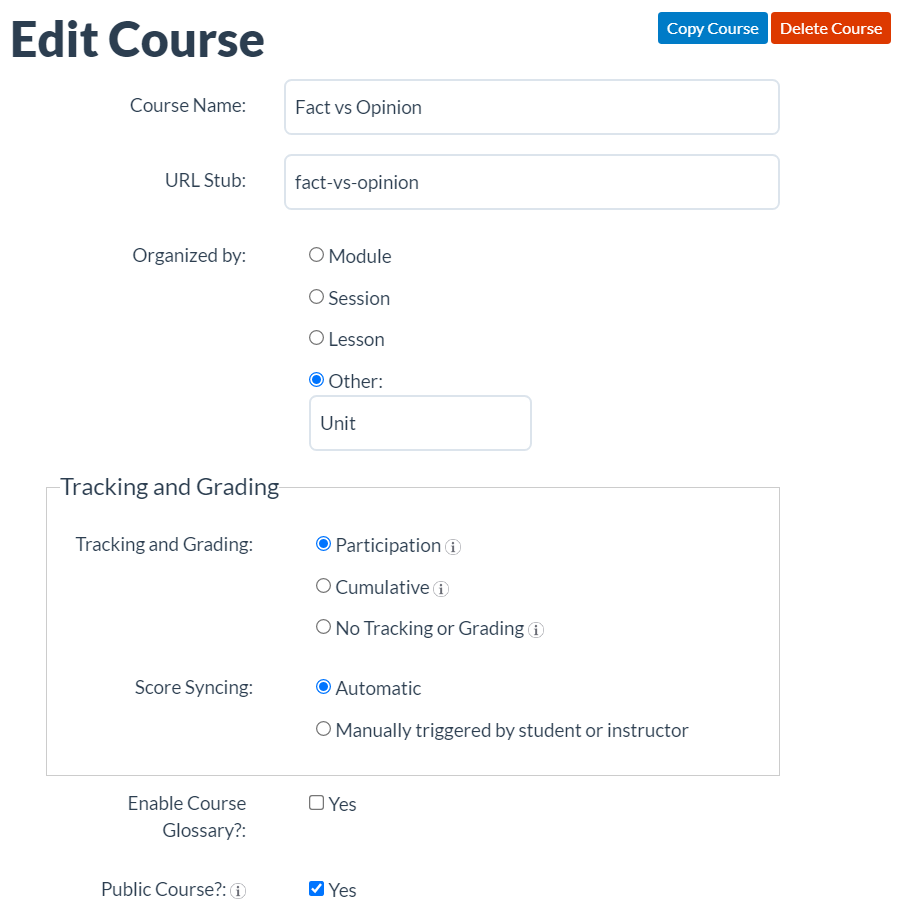
- To designate the term used for the second level of content organization in a course, select Module, Session, or Lesson; or select Other: to enter a custom term.
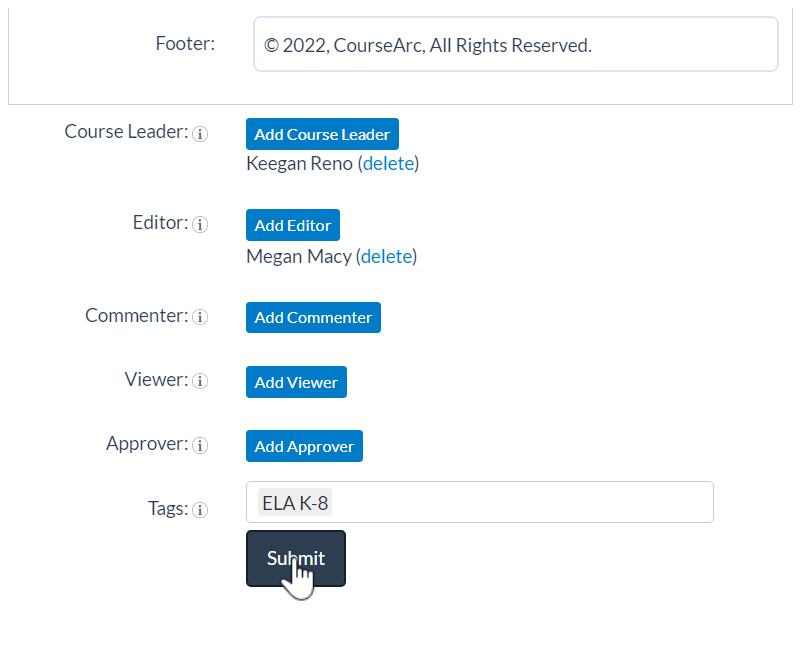
- Click Submit to save the changes made to the course settings.
Was this article helpful?
That’s Great!
Thank you for your feedback
Sorry! We couldn't be helpful
Thank you for your feedback
Feedback sent
We appreciate your effort and will try to fix the article