CourseArc can track student progress, and courses can be configured to pass student scores to an LMS gradebook.
Store/Track Students
This setting is the on/off switch that makes tracking possible in the first place. It's a prerequisite for both bookmarking and grade passback. Without it enabled, CourseArc has no record of what a student has done, so there's nothing to bookmark and nothing to pass back to the LMS.
What is Bookmarking?
Bookmarking is one of the features this setting turns on. It gives students visual cues showing which pages they've completed, and when a module is launched from the LMS, it returns them to the last page they visited so that they don't have to navigate to where they left off each time they begin a session.
How do I enable student tracking?
Only a System Administrator can enable the Store/Track Student Information: setting.
With student tracking enabled, CourseArc can record learner progress and, where a course is configured for it, pass scores back to an LMS gradebook.
- From the Dashboard, click Settings and then select General Settings.
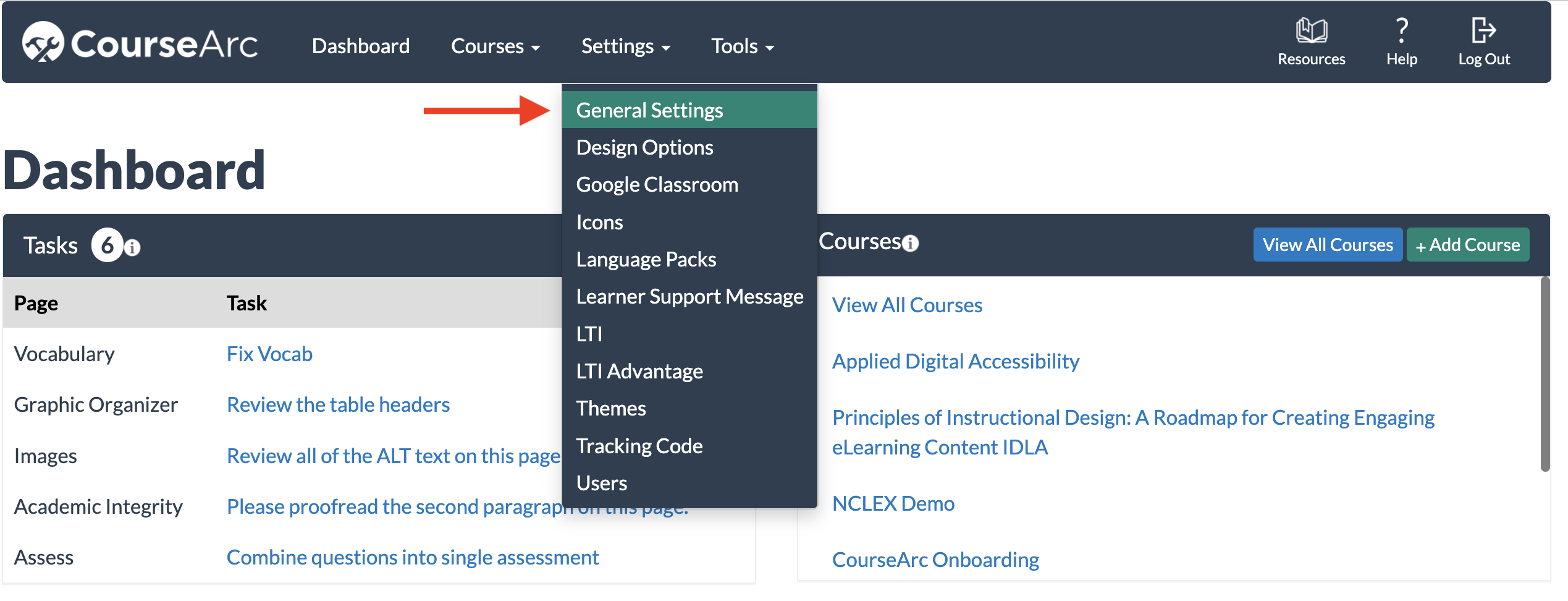
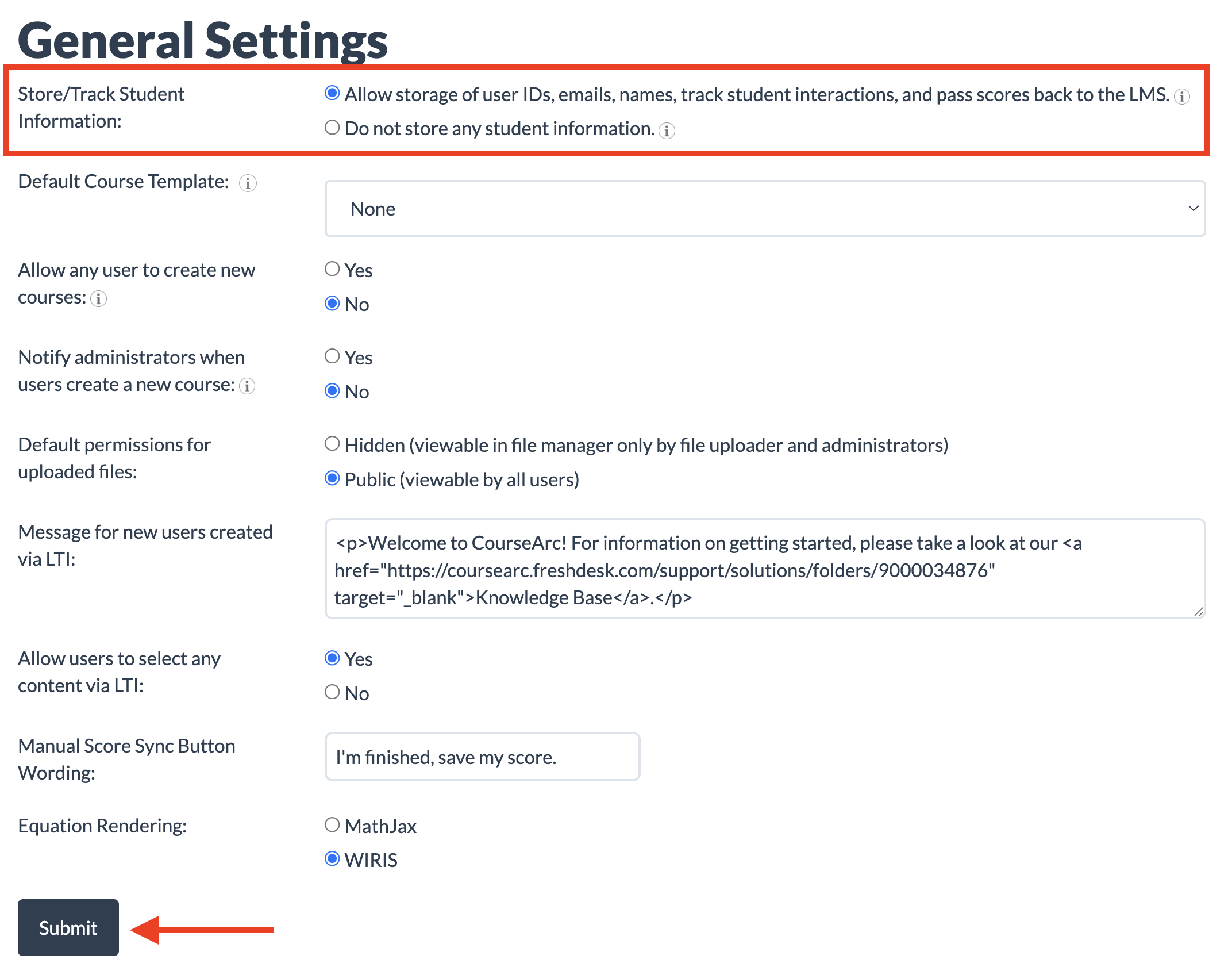
In the Store/Track Student Information field, choose the first option if:
grades need to be passed back to an LMS, or
instructors need to use the Student Progress & Performance dashboard
This option:- stores student names and email addresses
- passes grades back to the LMS
- tracks page views
- bookmarks the last page a student visited
- Click Submit to save the settings.
Learn More
For more on reviewing tracked data, see the Student Progress and Performance articles.
Was this article helpful?
That’s Great!
Thank you for your feedback
Sorry! We couldn't be helpful
Thank you for your feedback
Feedback sent
We appreciate your effort and will try to fix the article