We recommend that discussion prompts be created within CourseArc and include instructions for learners to complete the discussion inside the Learning Management System (LMS).
The following blocks can be used to create discussion prompts:
- Icon and Text: The Icon and Text block may be used as a visual cue and title for the icon, link to an article or website, and include an LMS visual cue with directions. The title of the discussion can also be included in the Icon and Text block.
- Content: The Content block can be used for directions, a prompt, and discussion questions.
- Video: The Generic Video, Vimeo Player, and YouTube Video blocks can be used to embed content relevant to the discussion.
- Rubric: The Rubric block can be used to explain how learners will be graded on the assignment.
Example 1
Published discussion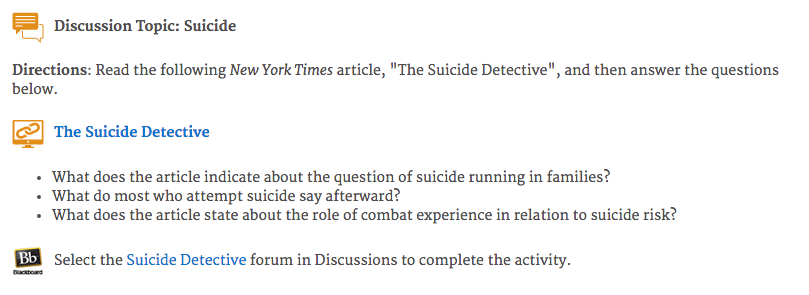
Edit view of discussion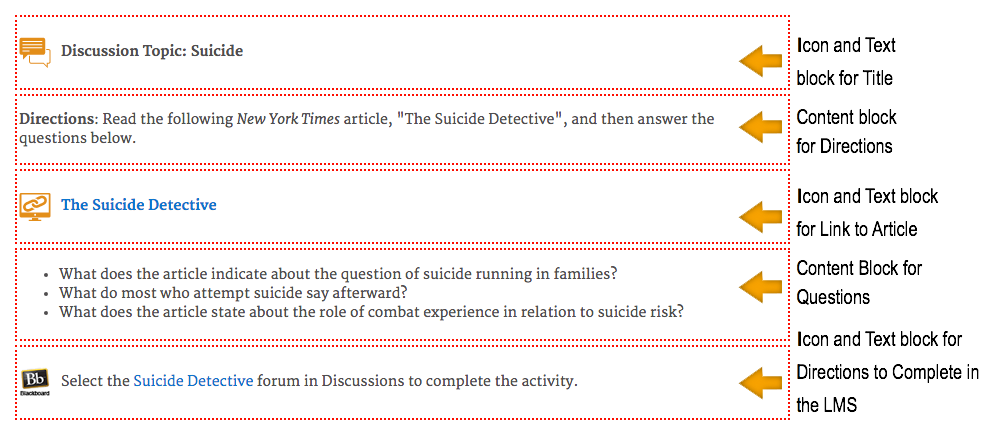
Example 2
Published discussion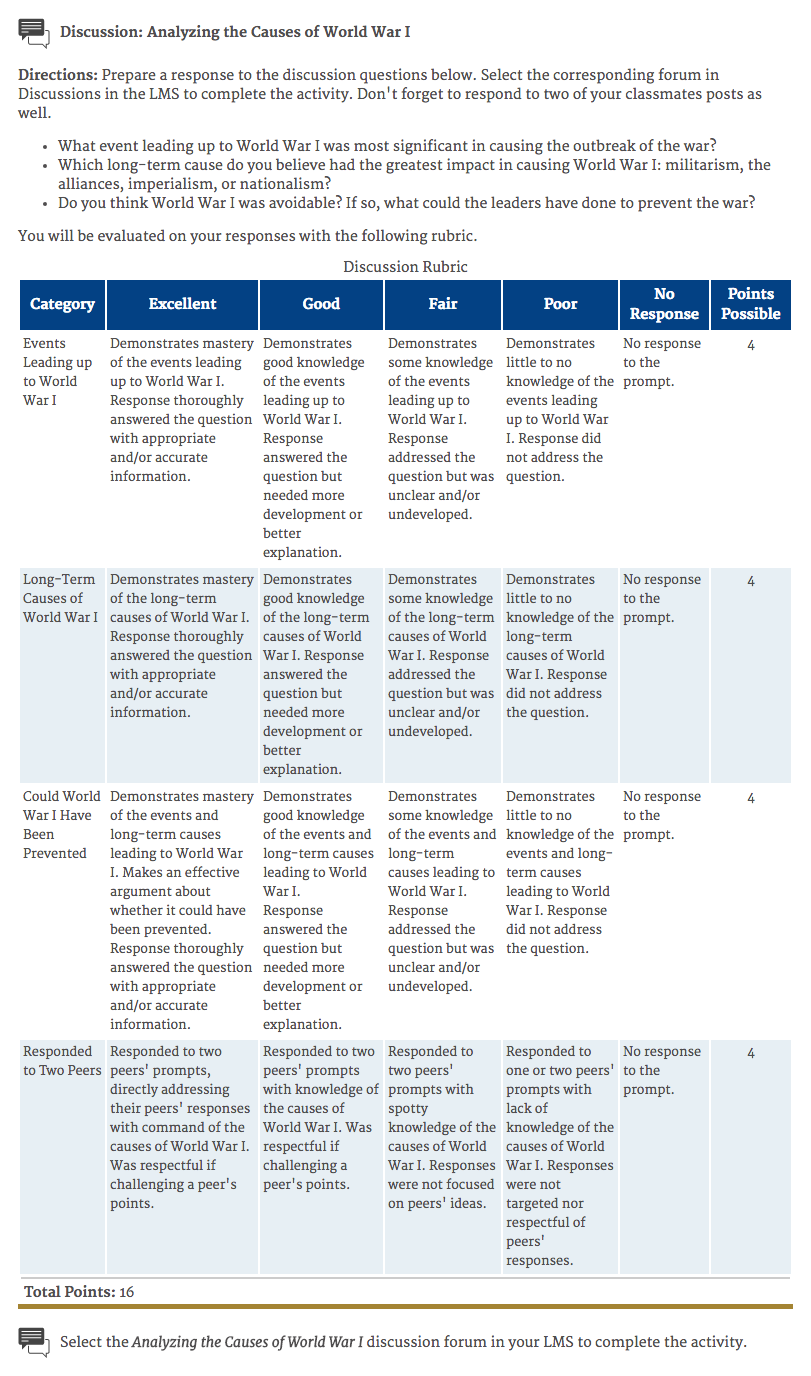
Edit view of discussion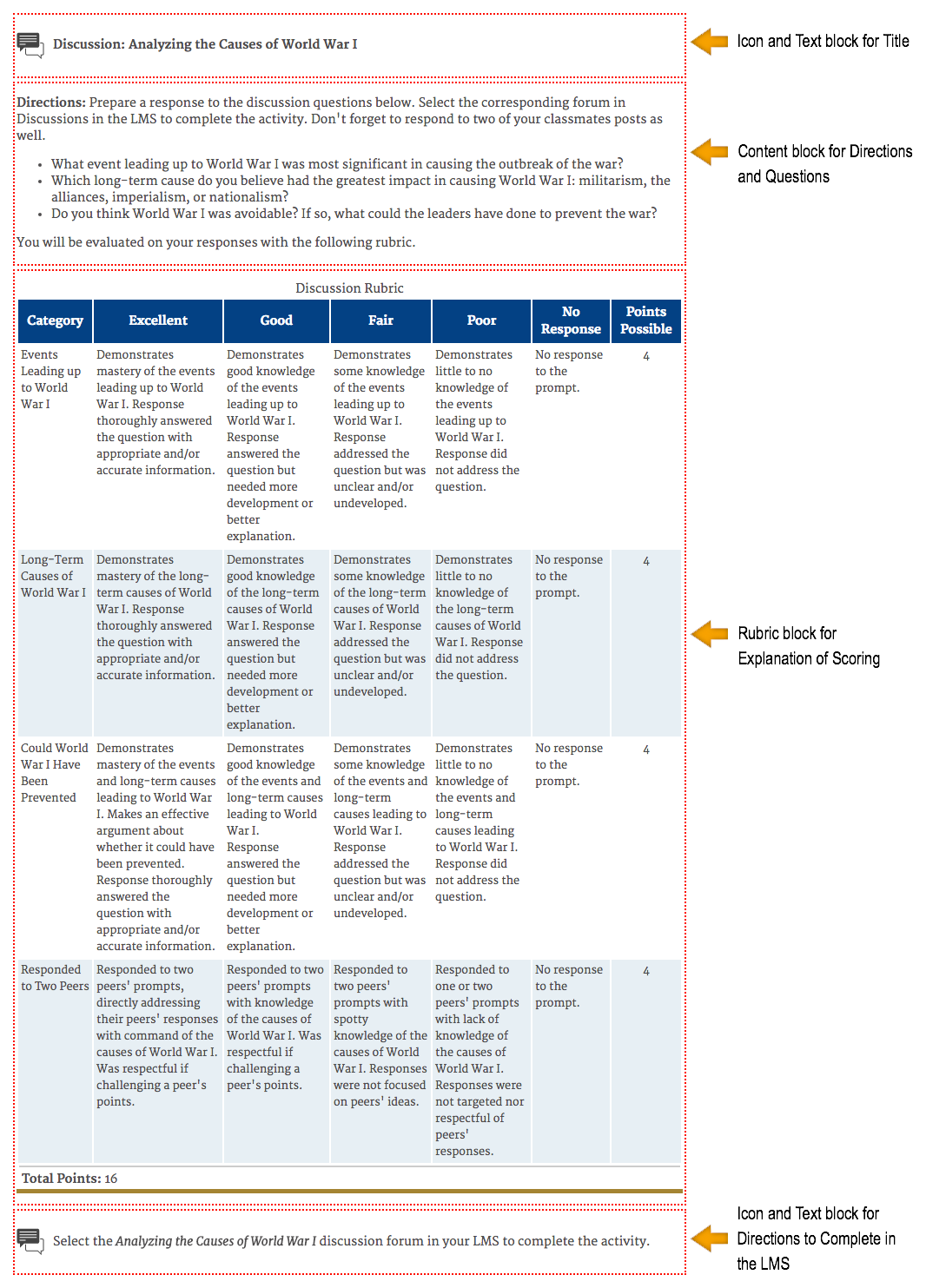
Was this article helpful?
That’s Great!
Thank you for your feedback
Sorry! We couldn't be helpful
Thank you for your feedback
Feedback sent
We appreciate your effort and will try to fix the article