Each course can be assigned a grading method of Participation, Cumulative, or No Tracking or Grading. The method you choose determines how each module's score is calculated and whether it is passed back to the Learning Management System (LMS) gradebook.
If a course is set to Participation or Cumulative, each module passes a score to the LMS gradebook. Scores sync automatically if Score Syncing is set to Automatic. If it is set to Manually triggered by student or instructor, scores sync only when a student or instructor starts the sync.
Note: Student tracking must be enabled to use Participation or Cumulative grading. Only a System Administrator, Course Administrator, or Course Leader can edit course grading settings. To set up the connection with your LMS, see How do I enable gradebook passback?
At-A-Glance
| Setting | How scoring works | What gets passed to the LMS |
|---|---|---|
| No Tracking or Grading | Nothing is tracked. | Nothing |
| Participation | Based on the percentage of pages completed. | Percent complete |
| Cumulative | Optional points for each page completed, plus optional points for scorable activity blocks. | Percent of points earned |
No Tracking or Grading
If a course is set to No Tracking or Grading, student interactions are not tracked and no scores are passed back to the LMS. Learners see no progress indicators or scores. An activity block's Points field does not display during block editing.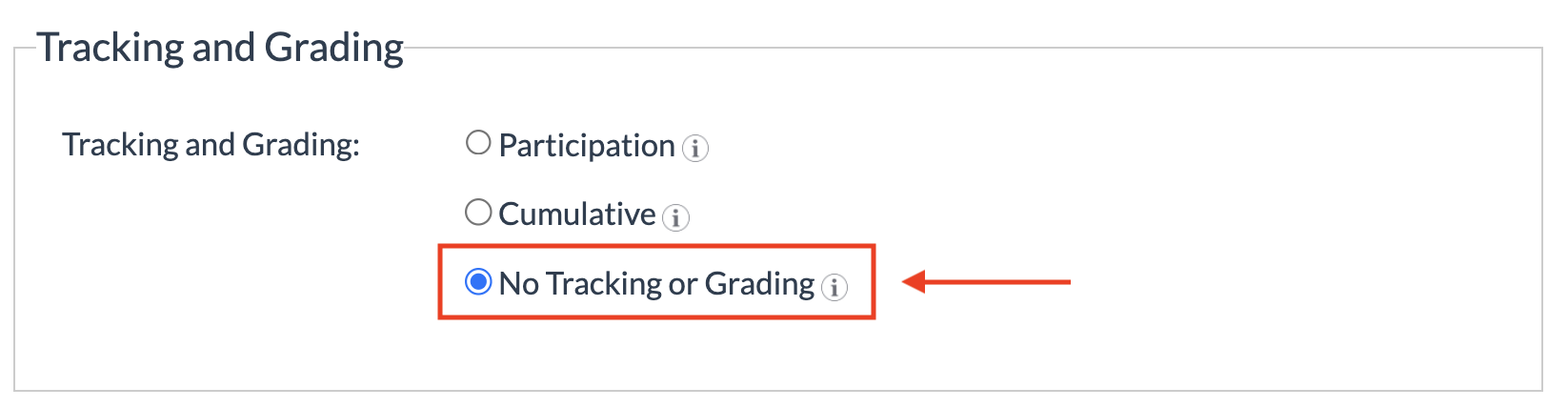
Participation
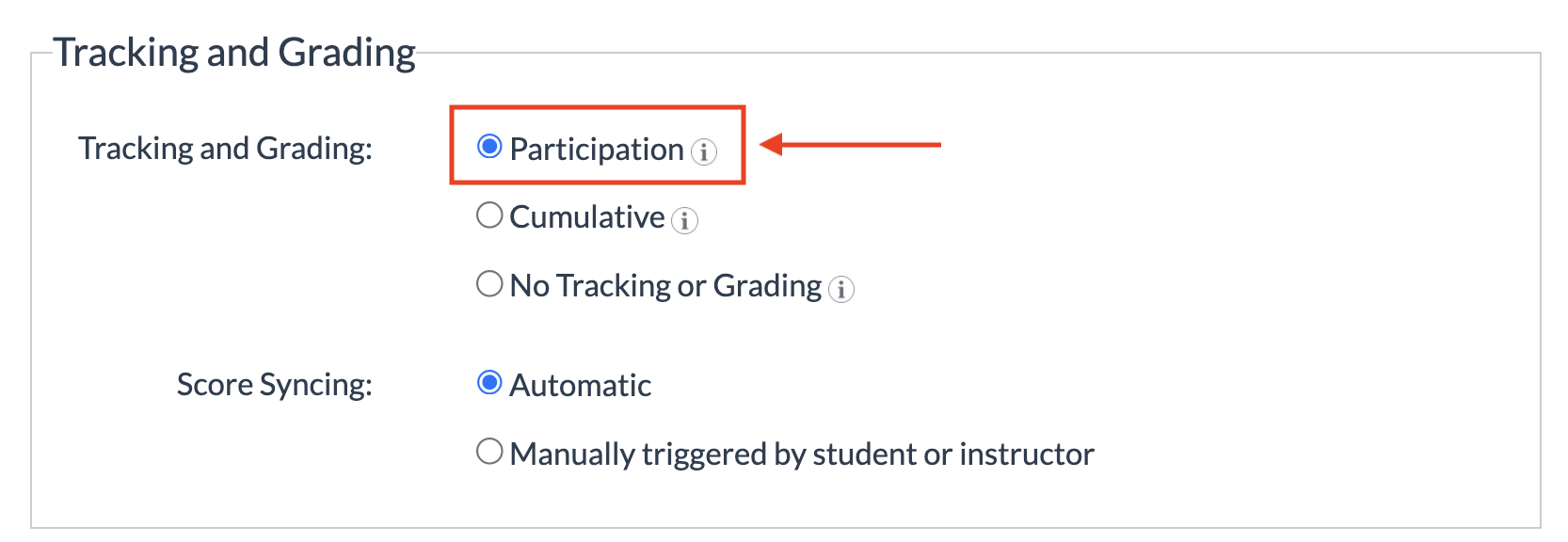
If a course is set to Participation, each module's score is based on the percentage of pages the student completes.
Participation grade = number of module pages the student has completed ÷ number of pages in the module
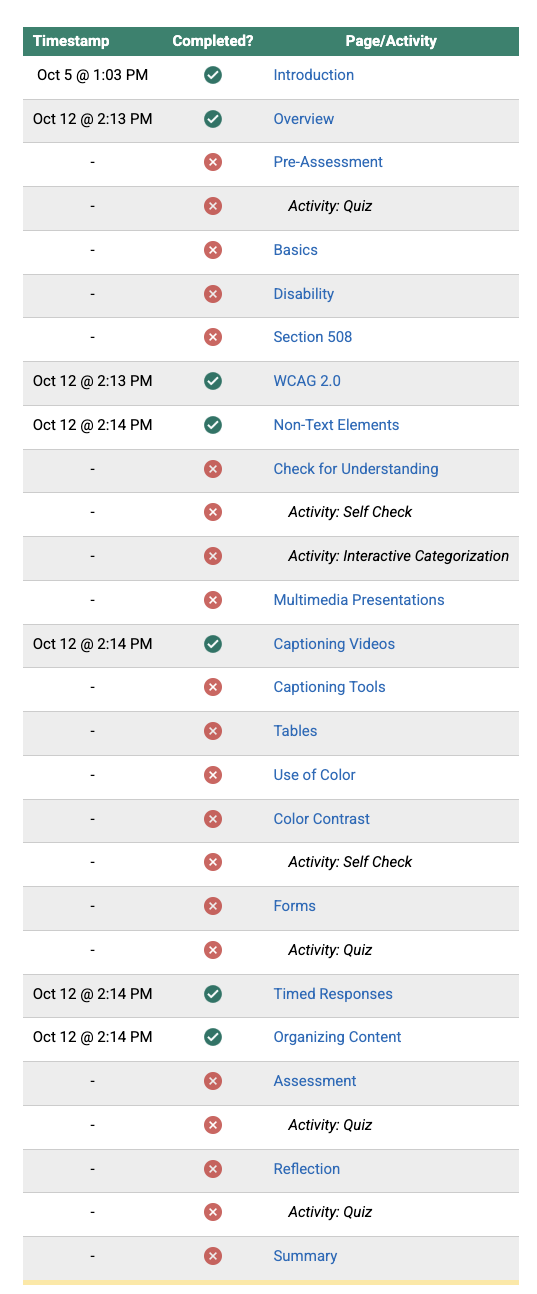
To complete a page, the student must access the page and interact with all of its tracked activities. Individual answers are not evaluated for points, so participation credit is awarded regardless of the accuracy of student answers.
With Participation grading:
- The activity block Points field does not display during block editing.
- No point totals appear on the module Overview page.
- Students see completed-page indicators and a progress bar.
- The score passed to the LMS equals the student's percent complete.
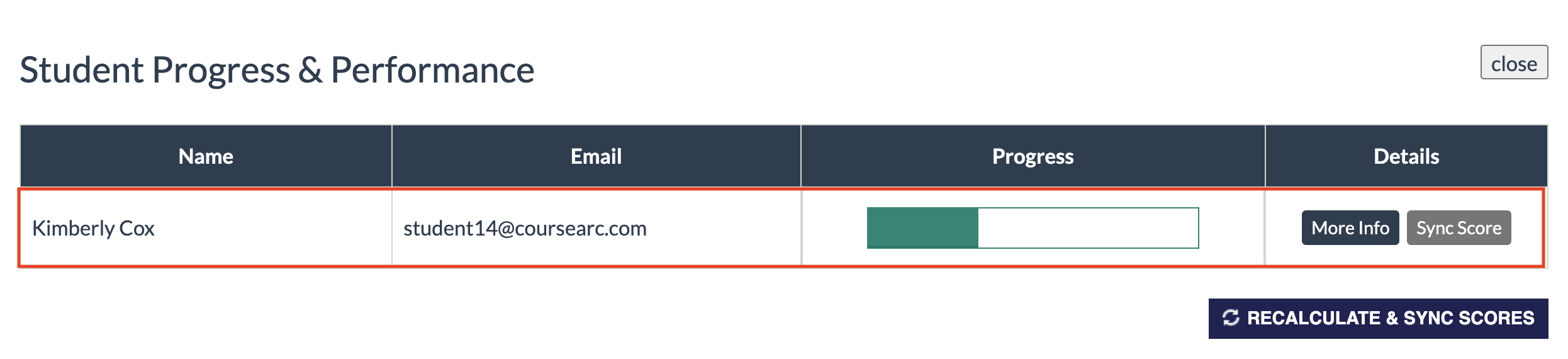
Kimberly's progress:
Breakdown of Kimberly's completed pages and activities in a participation course.
Cumulative
Cumulative is the most widely used option. It lets you assign a participation point value to each page (0 is allowed) and, optionally, assign points to individual interactive blocks that have a scoring option.
Students earn the page's participation points by accessing the page and interacting with all of its tracked activities, regardless of the activity scores they earn. Points assigned to scored activities are awarded based on accuracy, so students can earn full or partial credit.
With Cumulative grading:
- The module Overview page shows point totals. Pages with 0 points show a dash.
- Activity blocks show the points available.
- Students see a running score in addition to completed pages and progress.
- Instructors see both a progress percentage (pages completed) and a separate score (points earned).
In this example, the course is graded cumulatively with each page assigned five points for participation.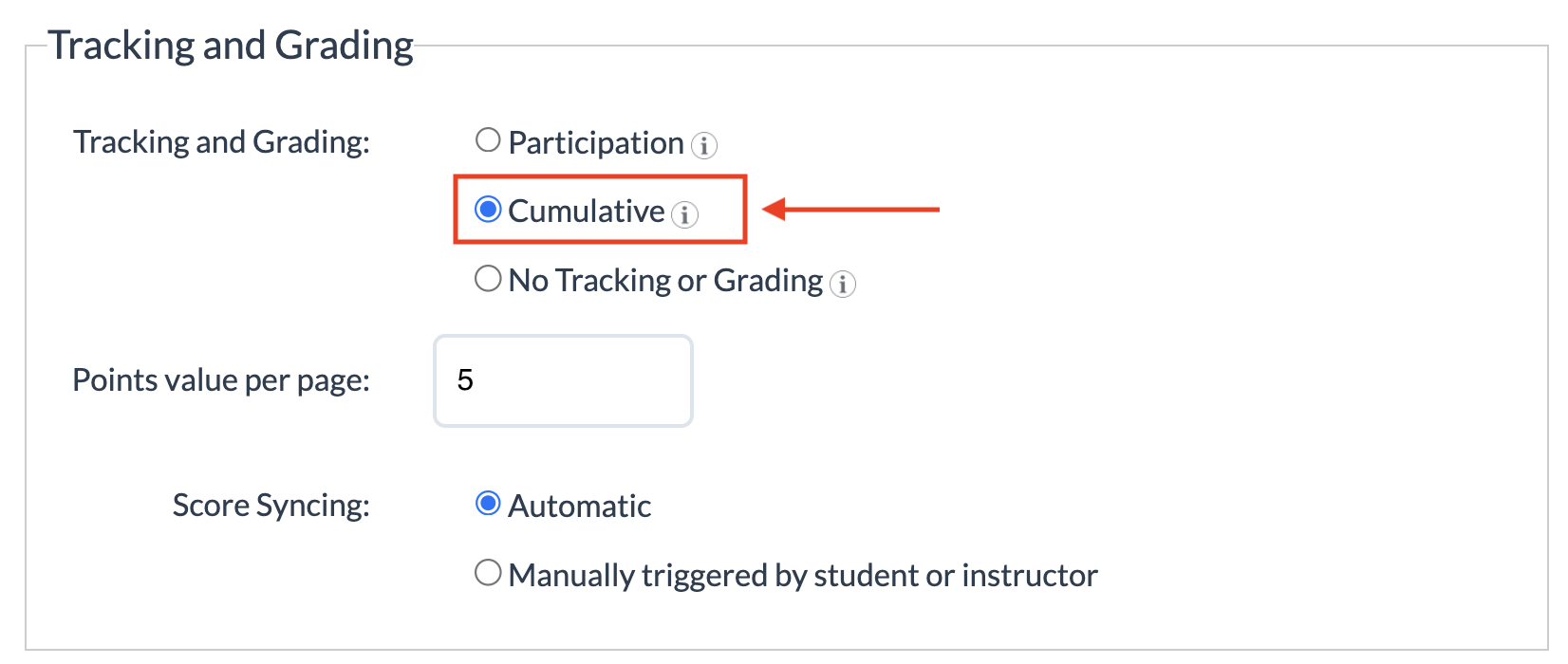
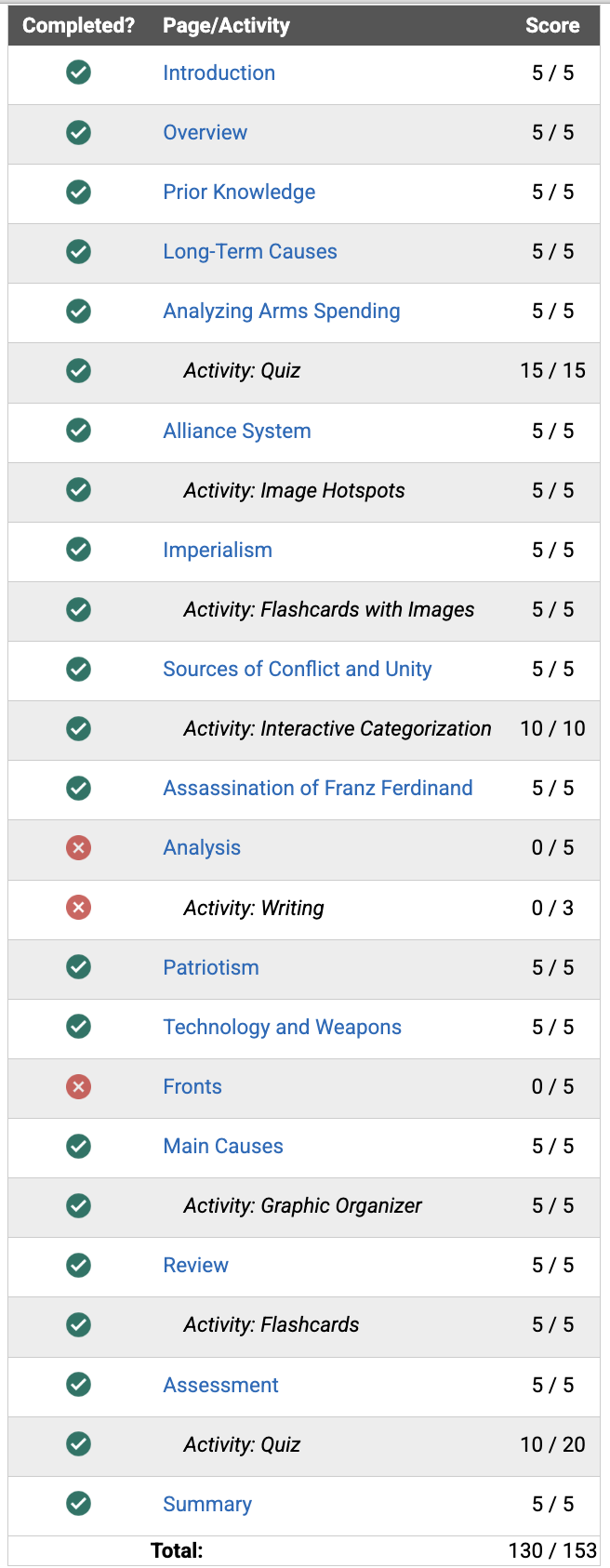
In this example, Gary's total progress is calculated as 88.2% and shown with a bar almost fully filled in. The cumulative grade is calculated as 85% (130/153) for completing 15 of 17 pages to earn 75 of 85 page points plus earning 55 out of 68 activity points.
Gary's progress and percentage: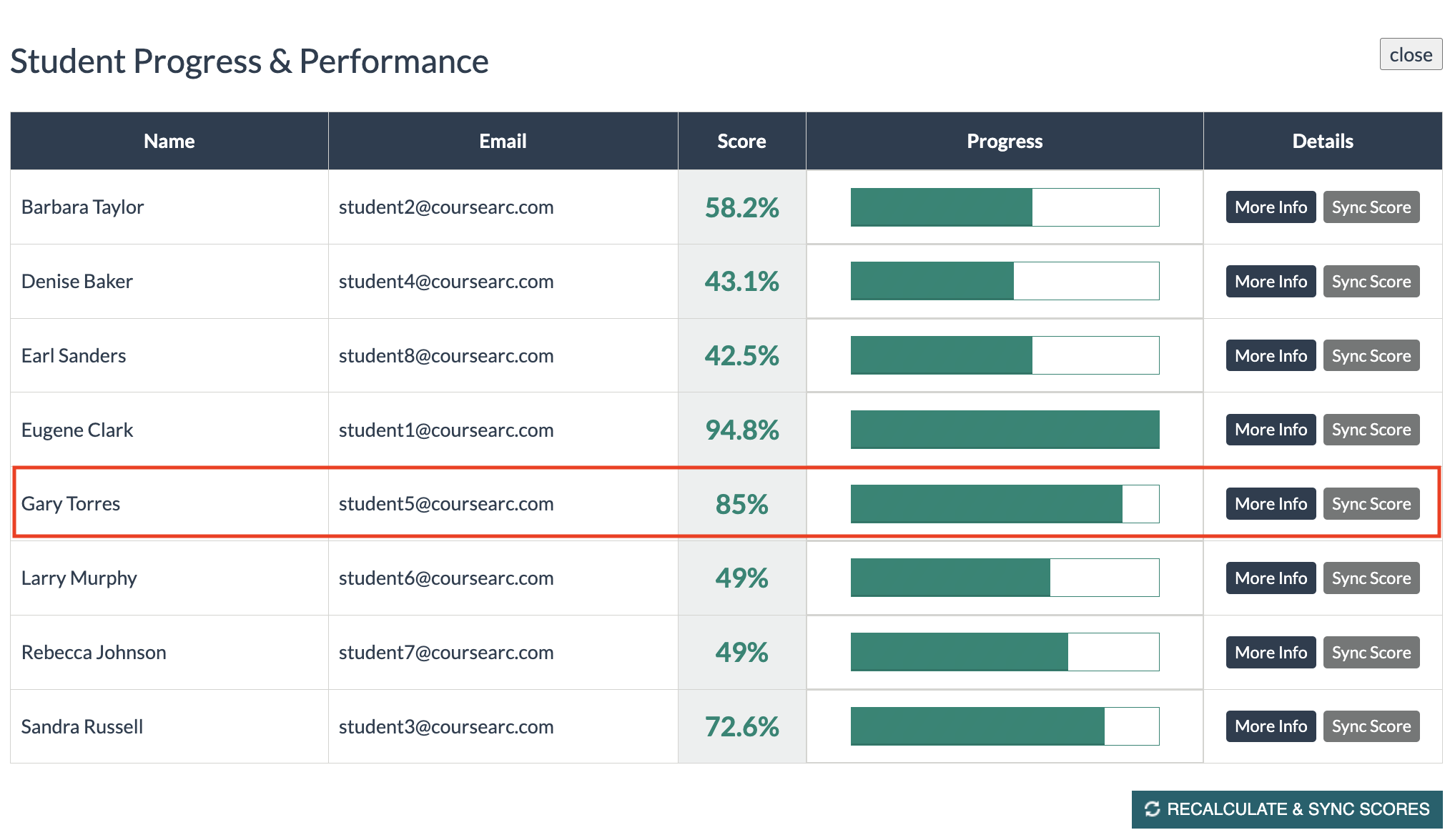
Breakdown of Gary's participation and activity scores:
To review which blocks are tracked for participation or cumulative completion, read What blocks does CourseArc have (Alphabetical List)?
Was this article helpful?
That’s Great!
Thank you for your feedback
Sorry! We couldn't be helpful
Thank you for your feedback
Feedback sent
We appreciate your effort and will try to fix the article