Cloze activities can be made fully accessible in CourseArc with a few intentional design choices. This article covers three key strategies with examples:
- Use Descriptive Labels
- Chunk Your Content
- Place Blanks at the End
Use Descriptive Labels
Every blank in a cloze activity should have a descriptive label. Labels are read aloud by screen readers in place of visual context, so they should convey enough information for a learner to understand what is being asked without seeing the surrounding text.
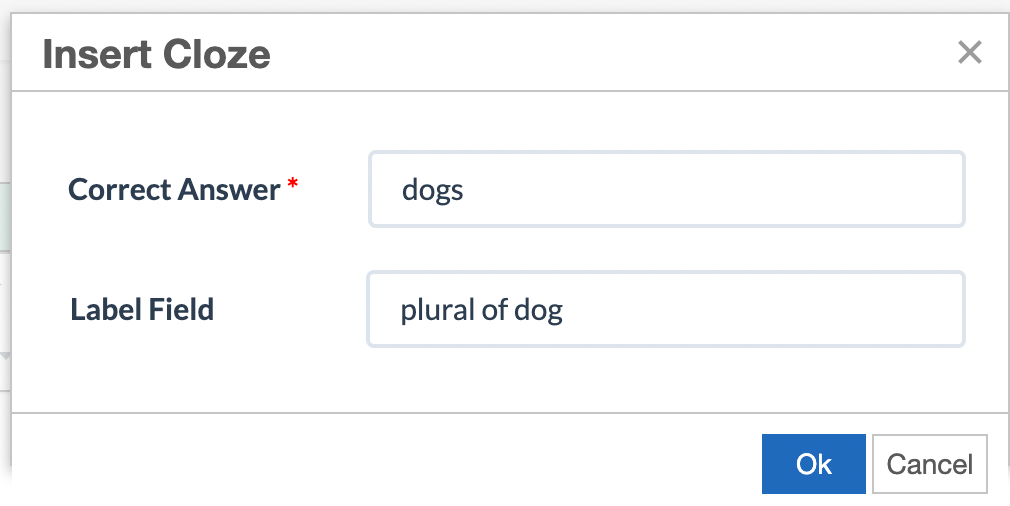
When adding a blank to an activity, always fill in the label field. For example, a blank with the correct answer “dogs” should have a label such as “plural of dog.”
Example: Plural Words
The learner is instructed to fill in the plural for each word. Labels (read by the screen reader, but not displayed visually) describe what to input (e.g., “plural of dog” or “plural of tooth”).
Example: Amendments Activity
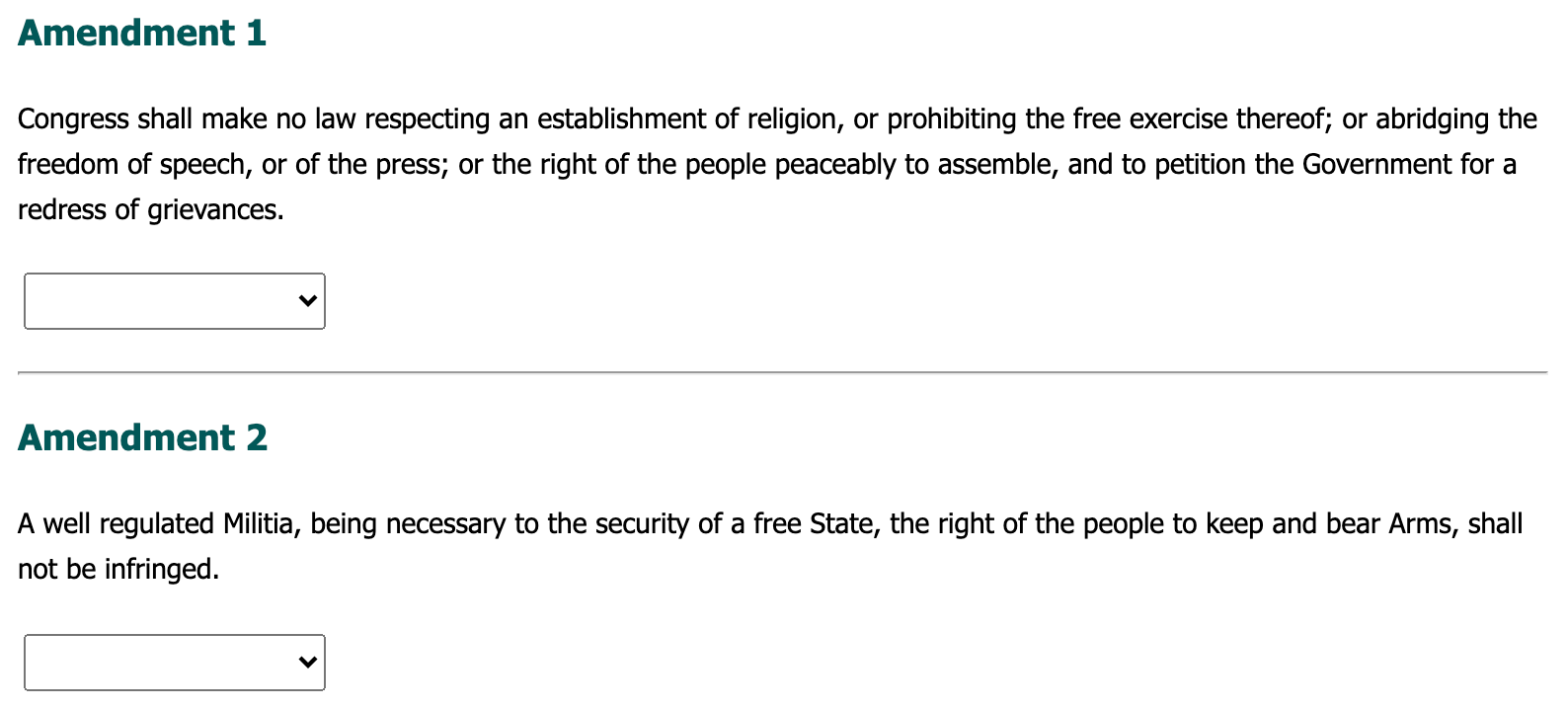
The learner identifies each amendment by name. The first dropdown label is set to “Amendment 1 Name,” the second to “Amendment 2 Name,” and so on.

Chunk Your Content
Breaking up your content into distinct chunks makes it significantly easier to navigate with a screen reader. Chunking ensures that screen reader users encounter meaningful context before or alongside each cloze field, reducing cognitive load and navigation effort.
Ways to chunk your content:
- Create an accessible table with proper headers, and add the cloze field in the last column of each row
- Format related content into a list
- Use headers to separate each question or section
The goal is to provide a clear separation between each cloze field so that screen reader users can understand the context of each one independently.
Example: Amendments
Place Blanks at the End
When possible, place blank fields at the end of a chunk of content rather than at the beginning or in the middle. This allows screen reader users to hear the full context before they are prompted to fill in a field.
Tip: When it is not possible to place a blank at the end (for example, in a fill-in-the-sentence format), a well-written descriptive label becomes especially important. Labels and positioning work together to support accessibility.
Example: Bill of Rights
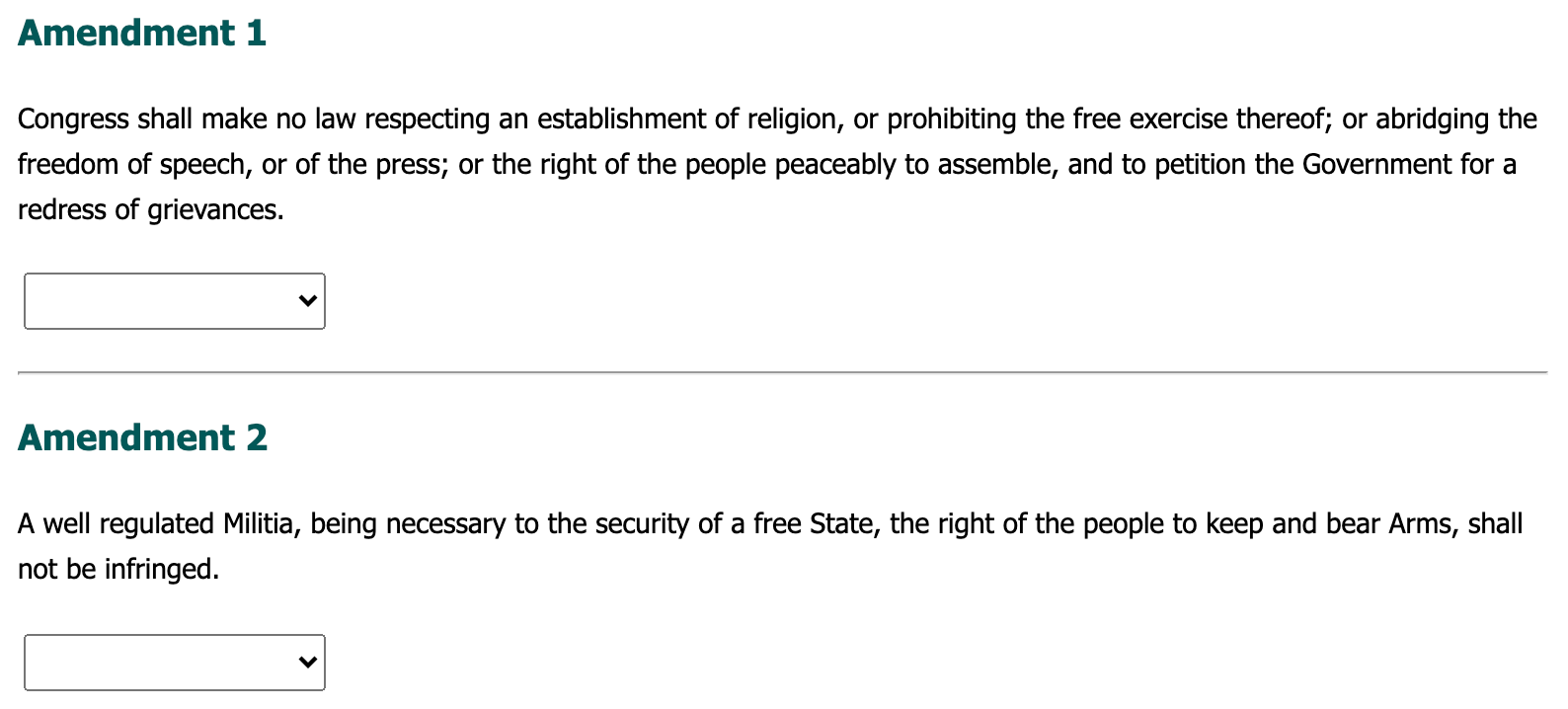
Original design: Each section showed an “Amendment” header, followed immediately by a dropdown field, and then the amendment text. Screen reader users heard the header and were prompted to answer before reading the relevant content.
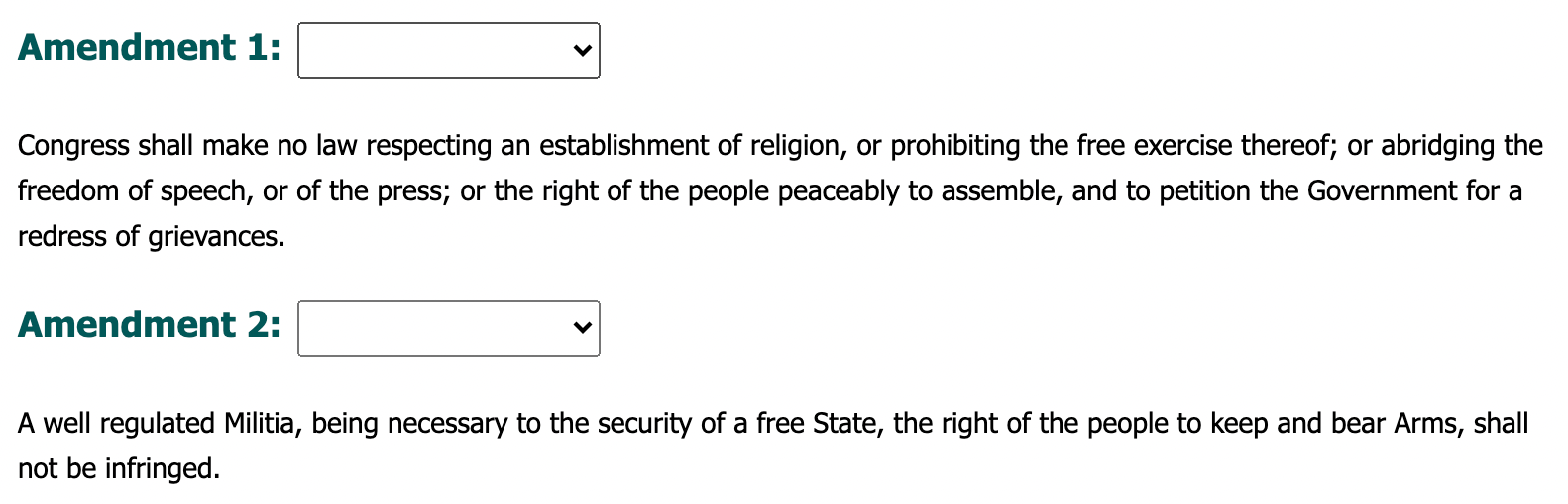
Revised design: The dropdown field was moved to after the amendment text. Screen reader users now hear the amendment header and full text before they are prompted to respond.
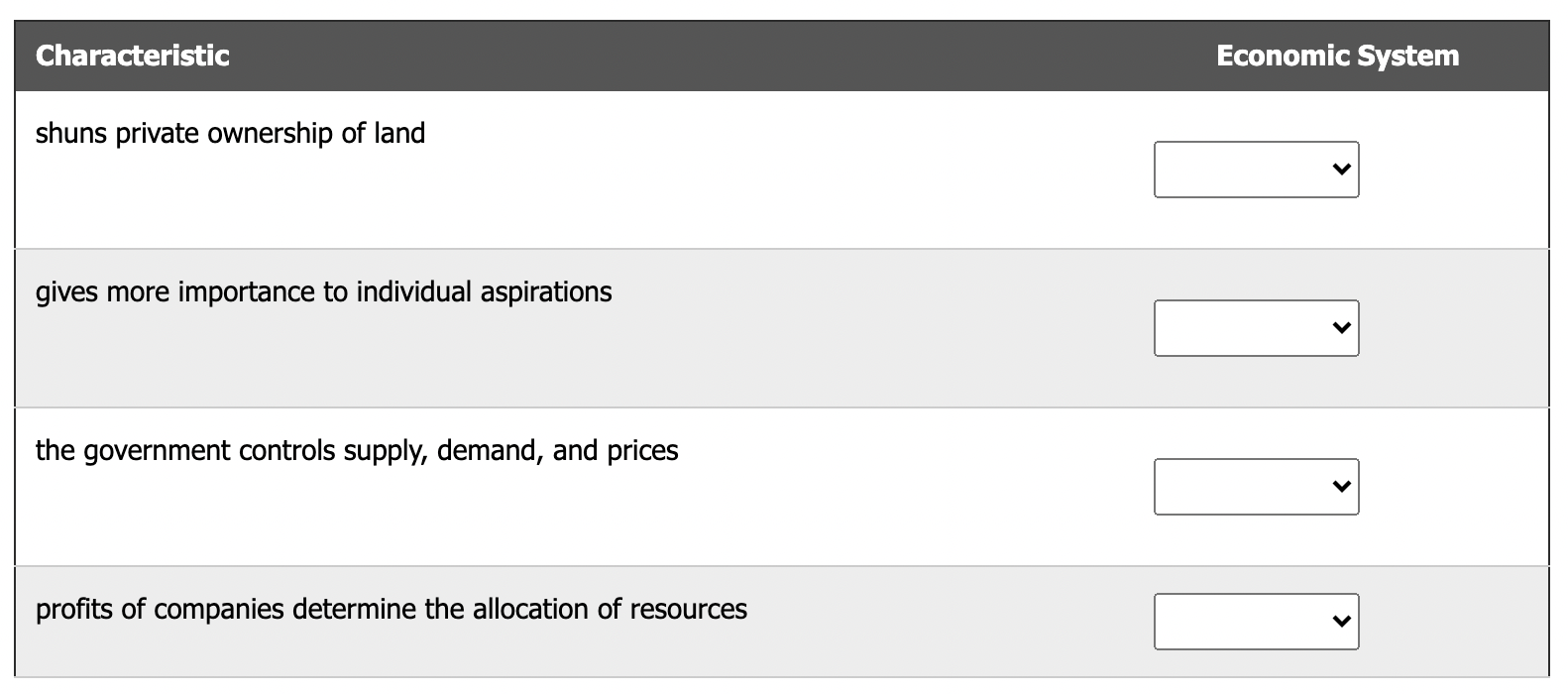
Example 2 - Economic Systems
Original design: A list of characteristics of capitalism and communism, with the cloze dropdown as the first or second word in each list item. This meant screen reader users were prompted to answer before they had heard the full characteristic.
![Screenshot of cloze. First list item shows: [blank] shuns private ownership of land. Second list item shows [blank] gives more importance to individual aspirations](https://s3.amazonaws.com/cdn.freshdesk.com/data/helpdesk/attachments/production/9249410214/original/tEZgEd7gdBYvcUy61x1Pcziz82R0SPfTlQ.png?1780424436)
Revised design: The activity was restructured as a two-column table. The first column contains the full characteristic (e.g., “shuns private ownership of land”), and the second column contains the dropdown field. Users hear the complete context before answering.
For additional information on the Cloze block, refer to
Was this article helpful?
That’s Great!
Thank you for your feedback
Sorry! We couldn't be helpful
Thank you for your feedback
Feedback sent
We appreciate your effort and will try to fix the article