Note: All AI features are an optional add-on that can be purchased with your CourseArc subscription.
For best results when using the Literal Import option in Magic Course Builder, follow these guidelines:
- Import 1-4 lessons at a time
- Use Google Docs or Microsoft Word for your content
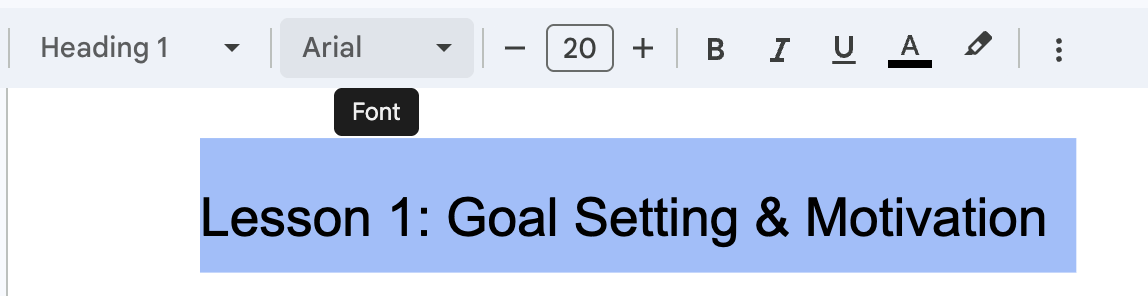
- Use Heading Level 1 for Lesson or Module titles and Heading Level 2 to indicate Page titles. Use Heading Level 3 and Heading Level 4 if you would like to add additional structure within each page.
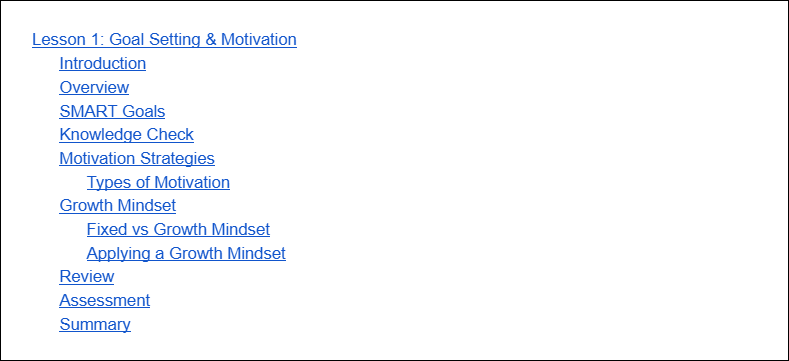
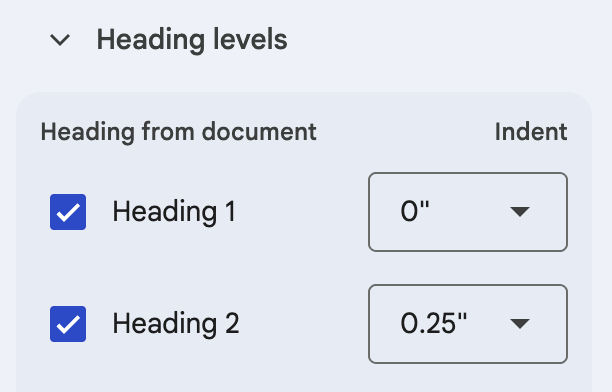
- Set up a table of contents that shows all the heading levels so you can preview the overall structure in CourseArc.
- Indicate the desired block with text that says "Block: " followed by the block title. Below is a list of accepted block types for Magic Course Builder:
- Accordions
- Classification
- Flashcards
- Generic Video
- HTML
- Icon and Text
- Icon and Link to Text
- Interactive Categorization
- Interactive Matching
- Standout
- Tabs
- Quiz
- Writing
- Literal Import will default to Content blocks if the block type is not clearly noted
- When following any block with a Content block, be sure to put in "Block: Content" so that the import tool knows where the previous block ends
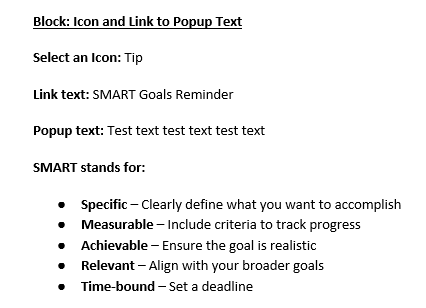
A sample import file with each of these block types is available for download here: Sample Literal Import.
Tips for Successful Import
Flashcards
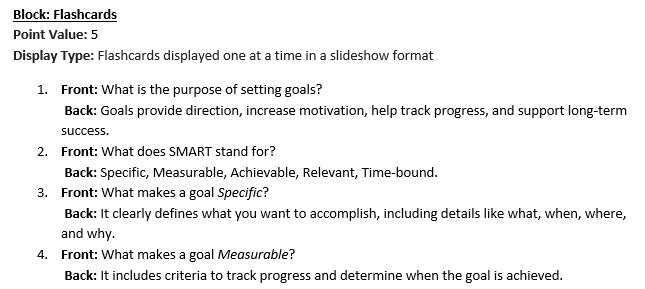
Literal import will create flashcard activities for you. Formatting your document will ensure that the import performs correctly.
- Number your key:value pairs
- Use "Front" and "Back" to specify where the content should go
- Use a soft return (Ctrl/Cmd + Enter) between the Front and Back items
Images
The literal import can import SVG, PNG, JPG, and GIF images that are hosted publicly. Under "Block: Image" you can put information such as the URL and Alt text. Example:
Image URL: https://www.w3.org/assets/logos/w3c-2025/svg/w3c.svg
Alt Text: W3C Logo
Caption: The W3C writes web standards such as HTML.
Width: 300
Align: center
If you wish to use AI generation for Alt text and long descriptions, we recommend doing that after the import by editing the block and using "AI Generate" there.
Quizzes
Literal Import supports all of our quiz question types. We recommend indicating what the question type is for each question. Correct multiple choice answers can be marked with bold formatting. Below is a sample:
Question 1: Text Input (Checked)
What is 3 squared?
Points: 2.5
Answer: 9
Question 2: Multiple Choice (Single Answer)
Which Latin root means "to say"?
Points: 2.5
Options:
-gress
-ject
-port
-dict
Was this article helpful?
That’s Great!
Thank you for your feedback
Sorry! We couldn't be helpful
Thank you for your feedback
Feedback sent
We appreciate your effort and will try to fix the article