Tasks help course teams assign and track work associated with specific course pages.
Access Requirements
- System Administrators and Course Administrators can add tasks in any course.
- Course Leaders, Editors, and Approvers can add tasks in their assigned courses.
Add a Task
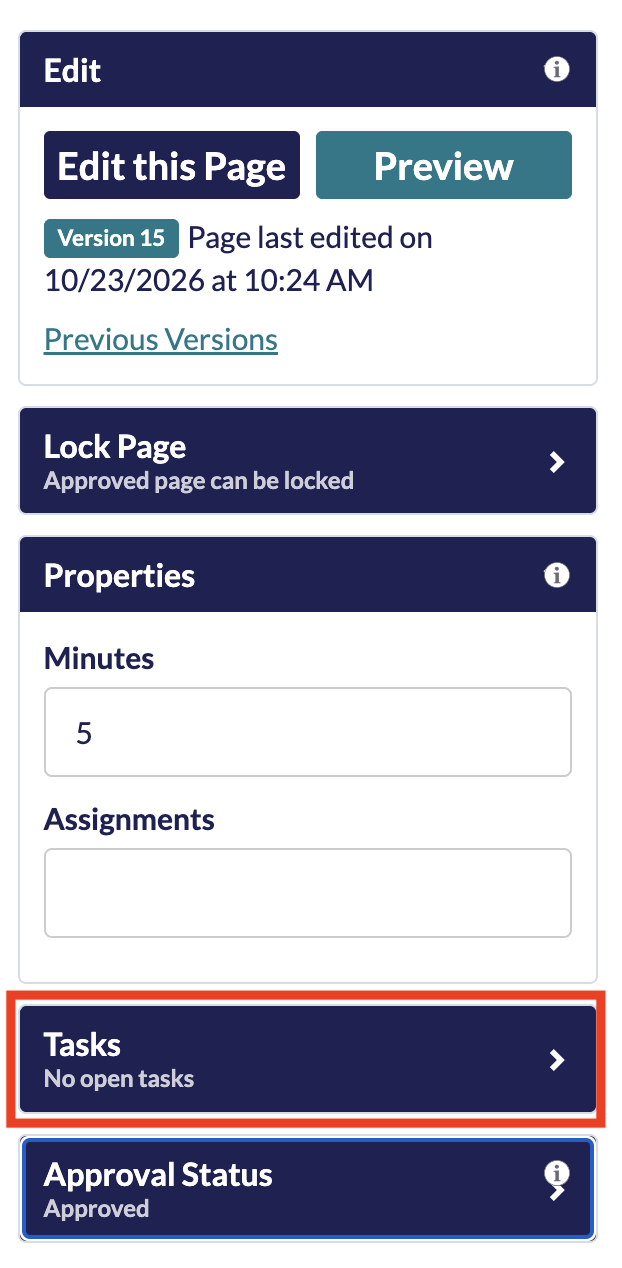
- Open the page that requires a task in page view.
Tip: If a task covers more than one page, add it to the first page of the module. - In the editing panel, expand the Tasks section if it is collapsed.
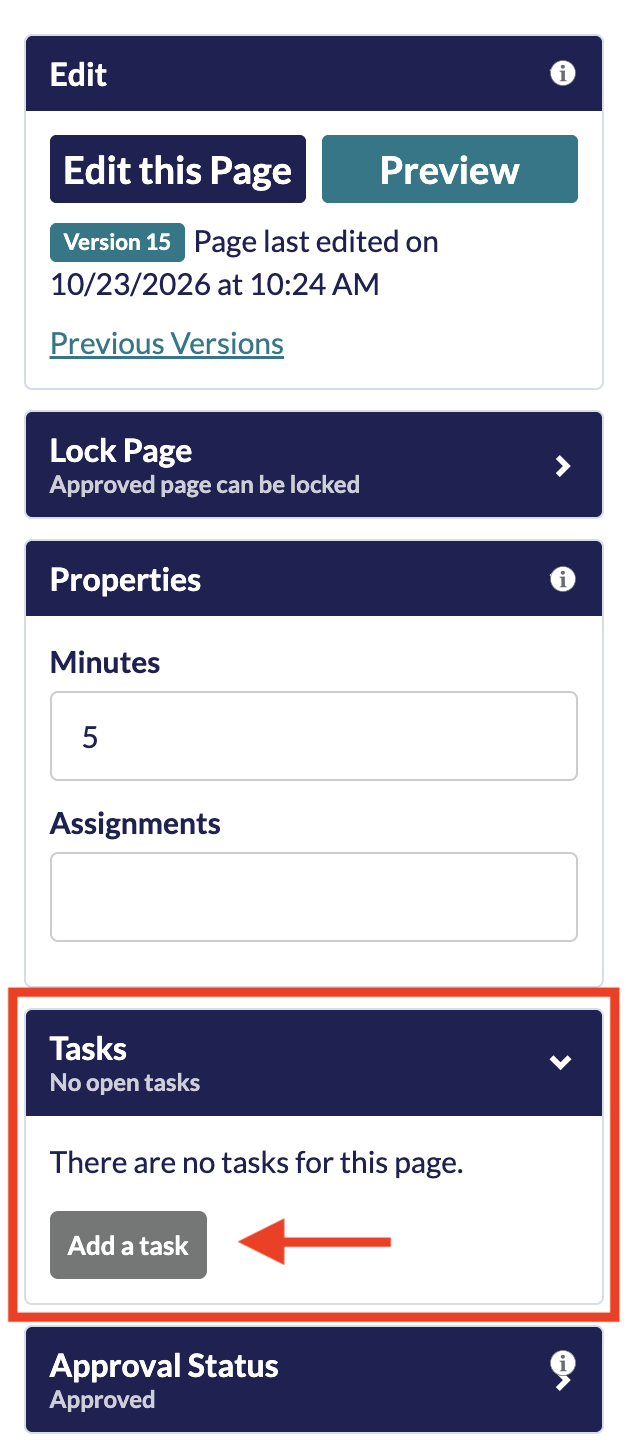
- Select Add a task.
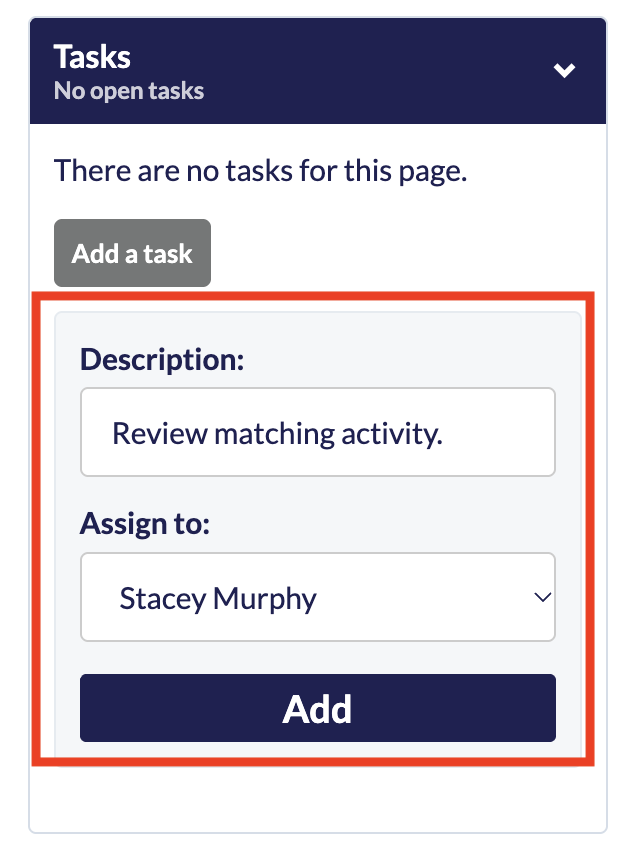
- Enter the task details in the Description field, select an assignee from the Assign to menu, and then select Add.
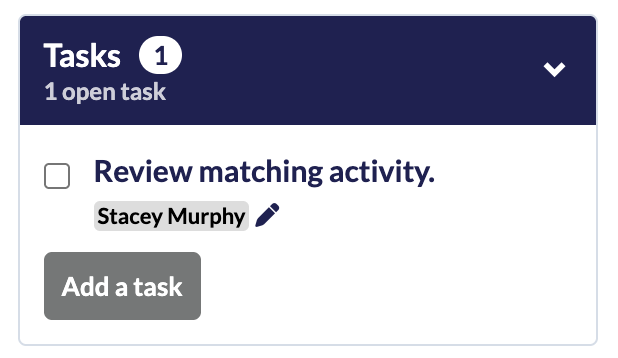
- The pending task and the assignee’s name now appear in the Tasks section of the editing panel.
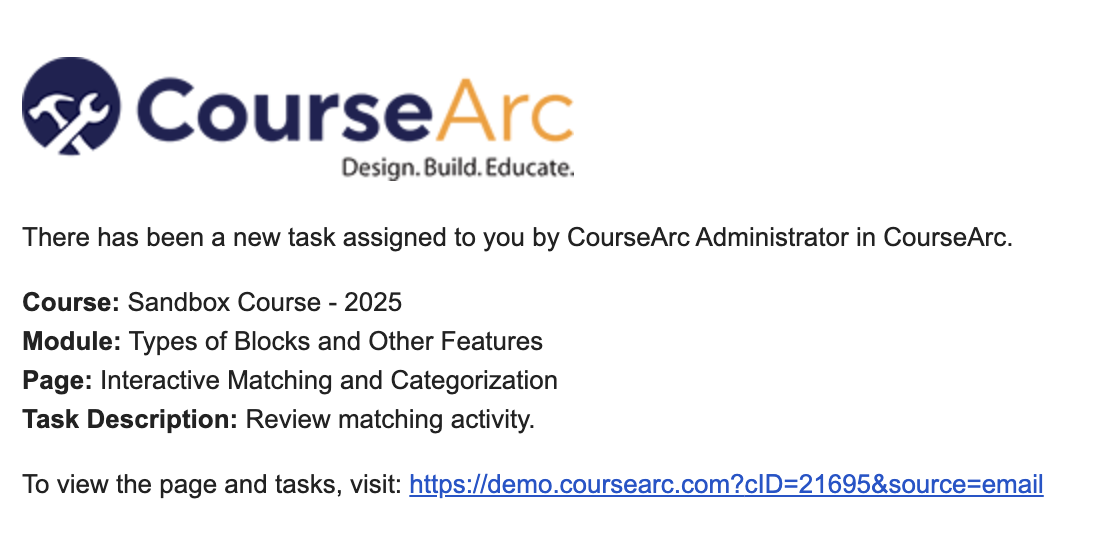
- The assignee receives an email notification.
Edit a Task
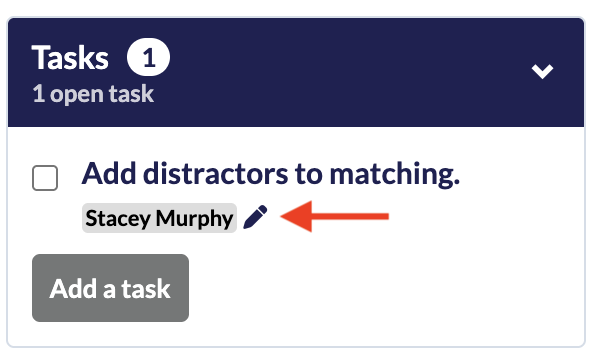
- Select the pencil icon for the task.
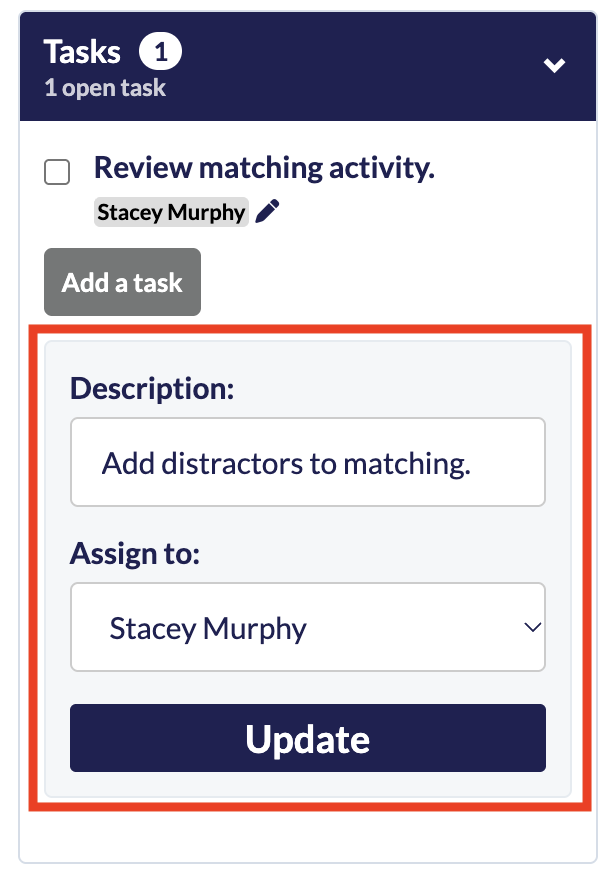
- Make the necessary changes and then select Update.
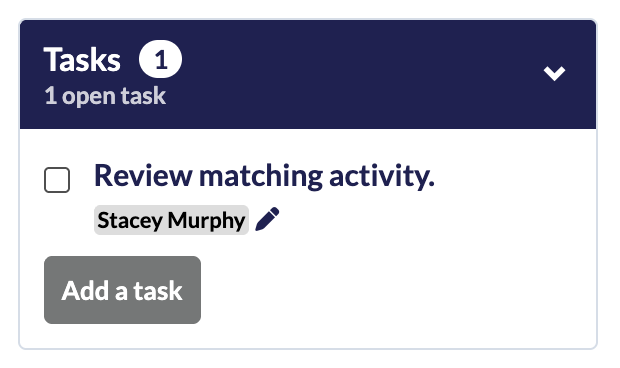
- The edited task now appears in the tasks section of the editing panel.
Complete a Task
- Open the page that requires a task completed.
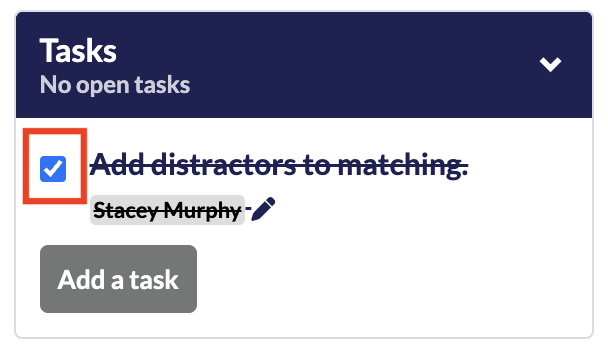
- In the editing panel, expand the Tasks section if it is collapsed
- Check off the task to mark it completed.
Was this article helpful?
That’s Great!
Thank you for your feedback
Sorry! We couldn't be helpful
Thank you for your feedback
Feedback sent
We appreciate your effort and will try to fix the article