CourseArc organizes content into four levels: courses, modules, pages, and blocks. A course contains one or more modules, each module contains one or more pages, and each page contains one or more blocks.
By default, CourseArc calls the second level a Module. You can change this term to Session, Lesson, or a custom term to match your course structure.
Access Requirements
System Administrators, Course Administrators, or Course Leaders can change the term used for modules in a course.
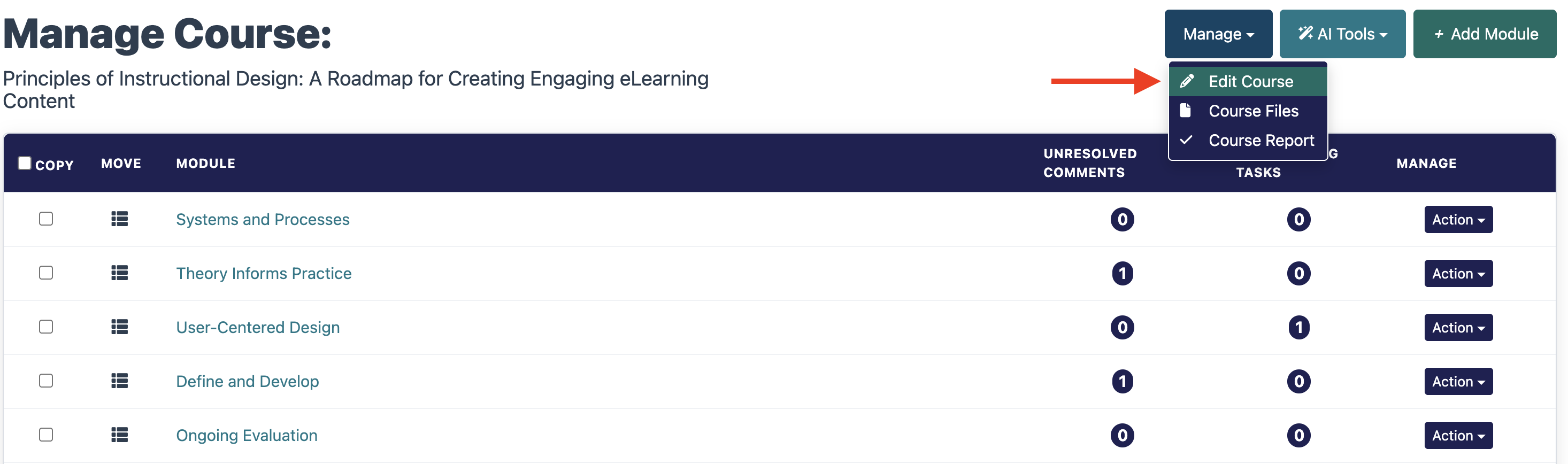
From the Manage Course view, select Edit Course.
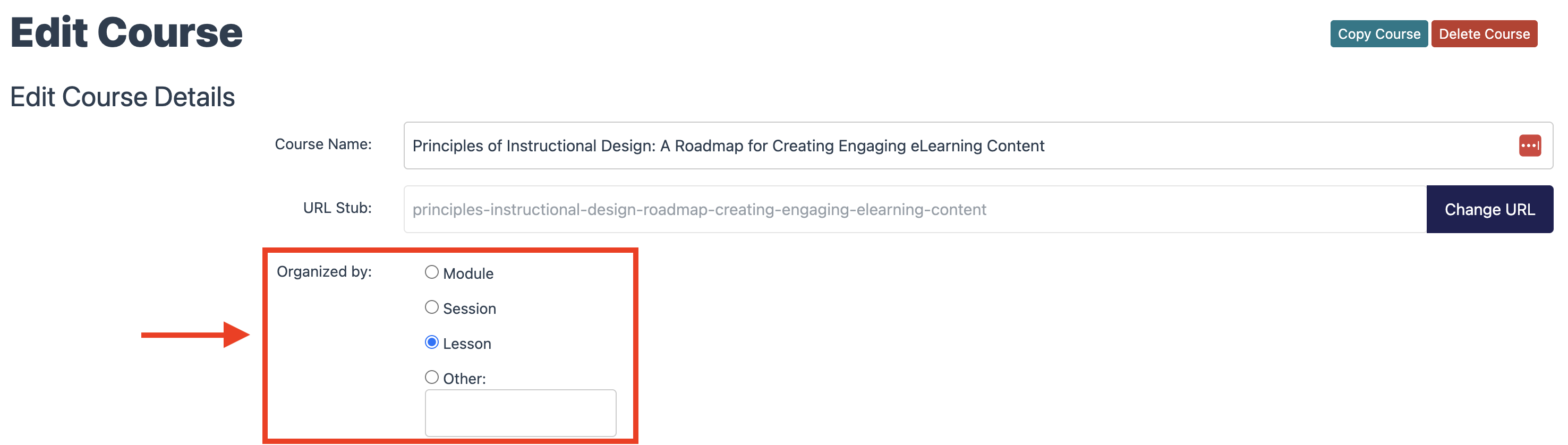
Select Module, Session, or Lesson as the term for the second level of the course structure. To enter a custom term, select Other and enter the term.
Select Submit to save the course settings.

Examples
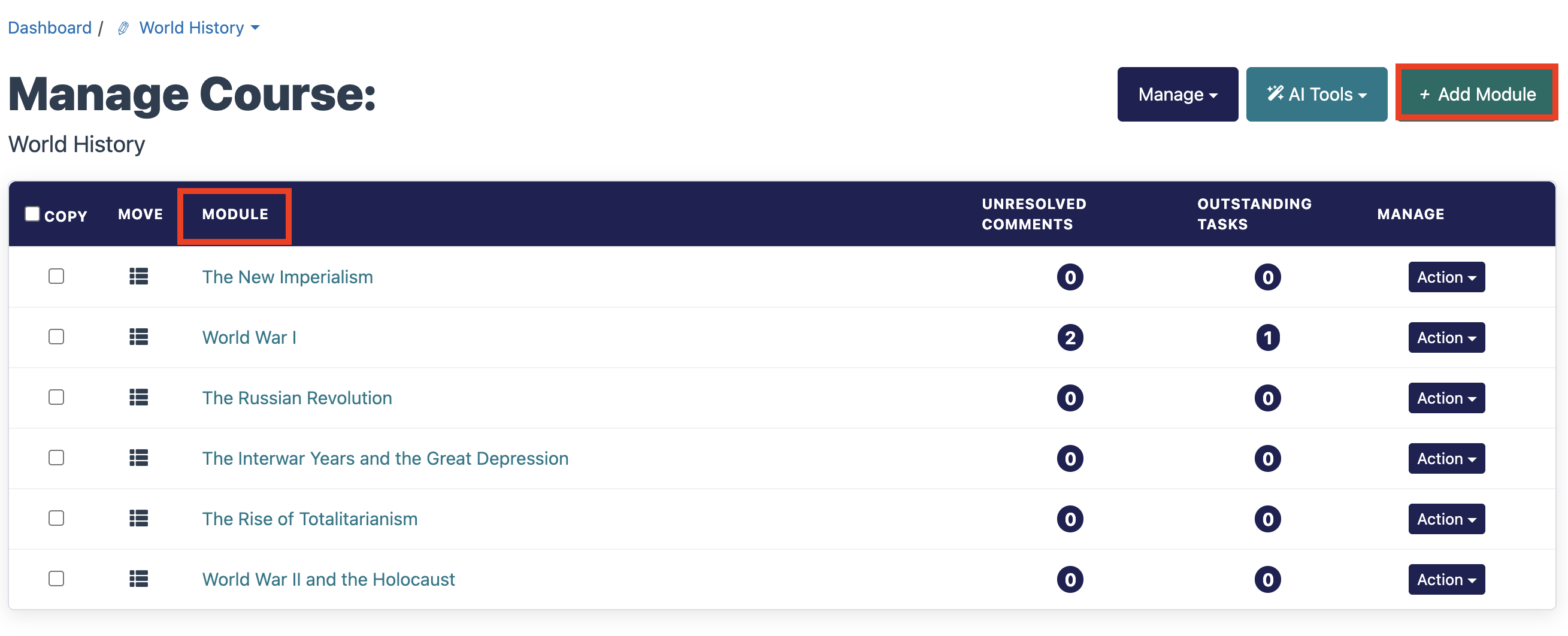
Module:
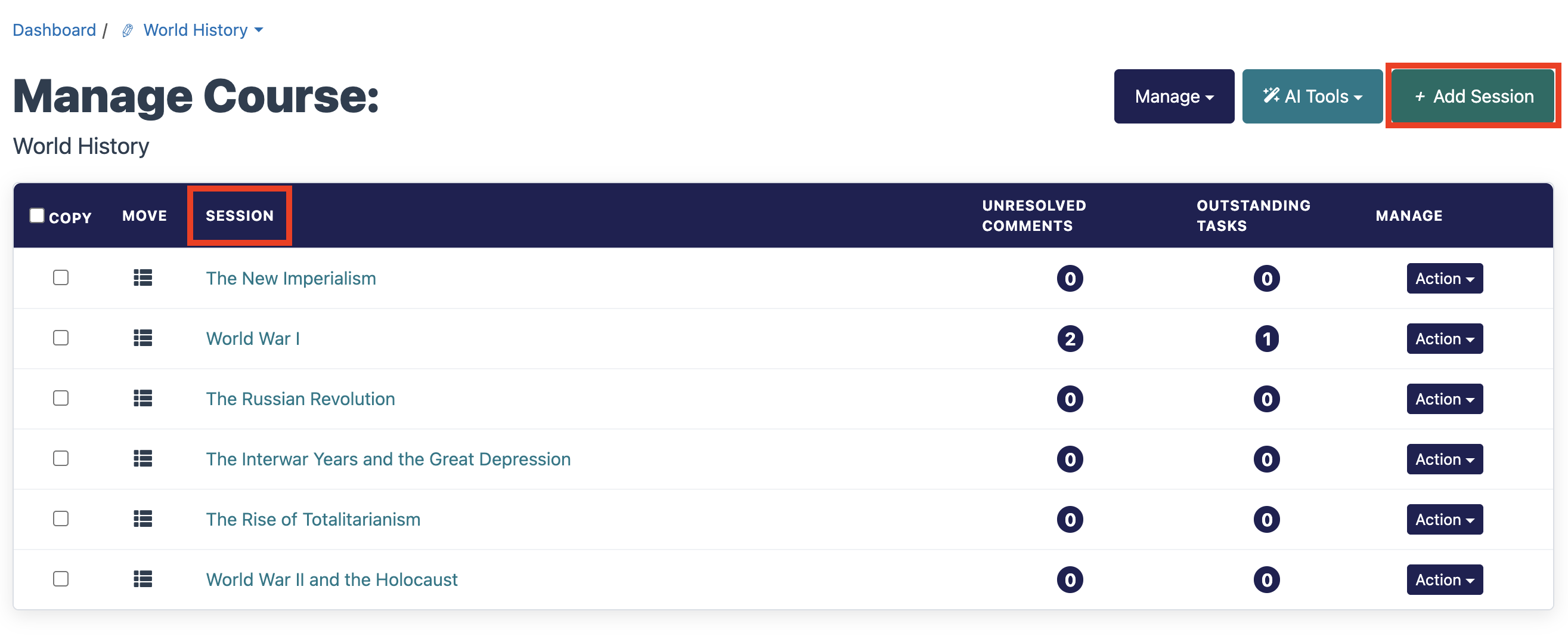
Session:
Lesson:
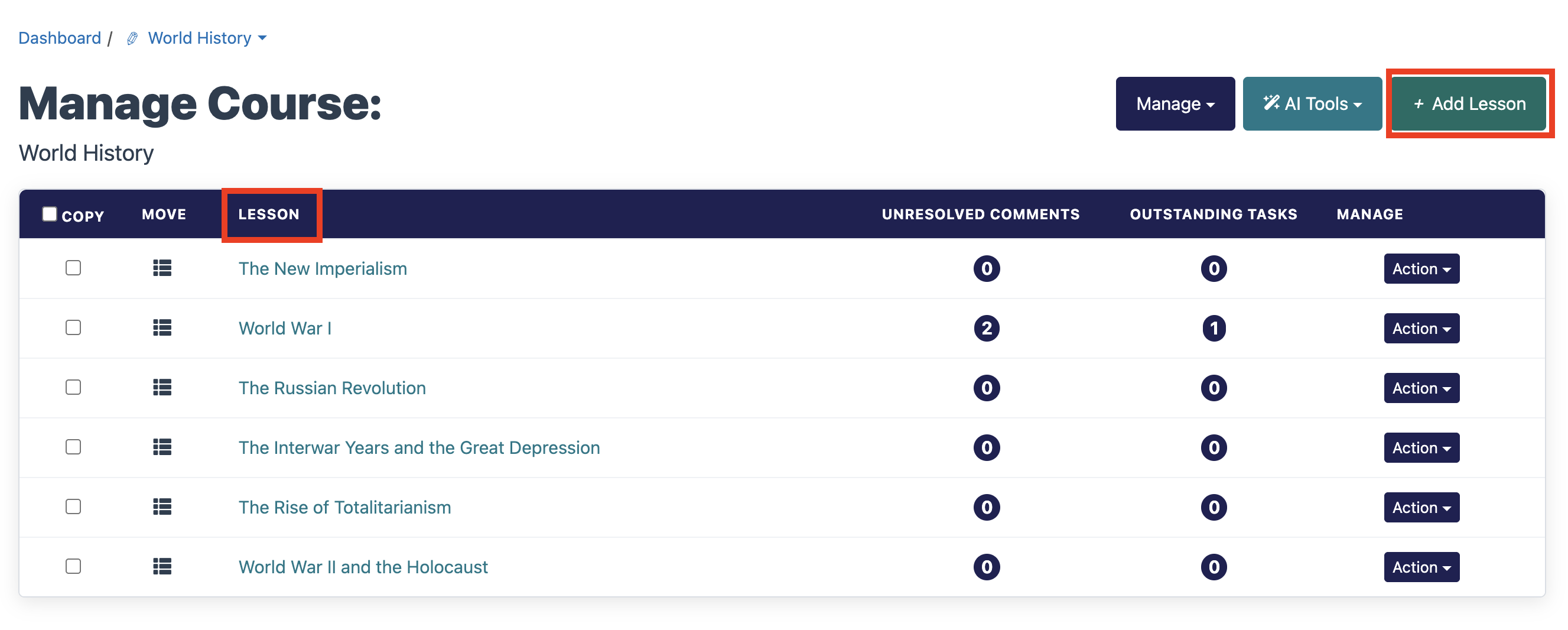
Custom: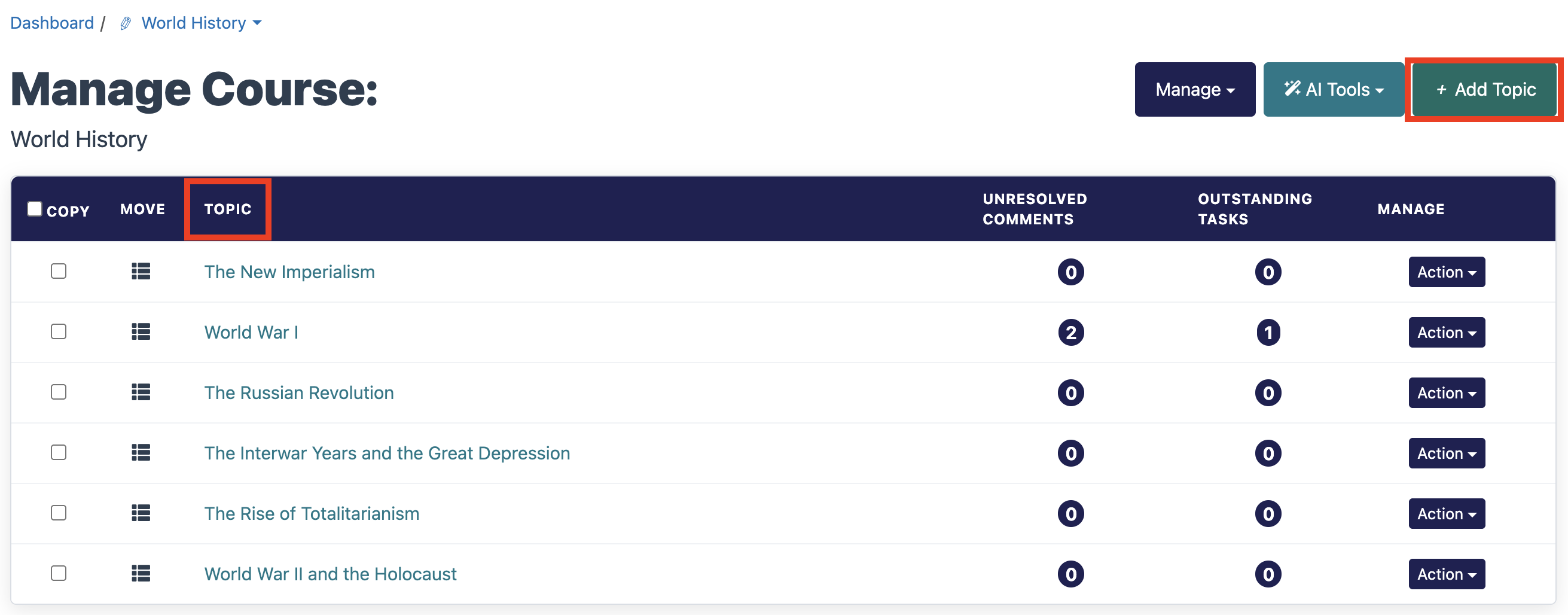
Was this article helpful?
That’s Great!
Thank you for your feedback
Sorry! We couldn't be helpful
Thank you for your feedback
Feedback sent
We appreciate your effort and will try to fix the article