To learn about resetting an activity to provide a student an additional attempt or overriding a student's activity score with a manual grade entry, refer to How do I adjust student scores?.
When student scores in CourseArc do not match the LMS gradebook, instructors or students can initiate a grade passback to update student scores. A grade passback can be initiated for individual students or all students in a course from the Student Progress & Performance view.
Note: When manual grade passback is enabled for a course, student scores are only sent to the LMS when either a student or an instructor initiates a grade passback.
The recalculate and sync scores function should be used in the following situations:
- A grade did not post or posted incorrectly to the LMS
- Adjustments have been made to activity point values or page point values (e.g., a change from participation to cumulative grading or changes to point values for individual activities)
Note: Activities such as quizzes are not regraded by the recalculate and sync scores process.
In the course that needs a grade or grades updated, select Student Progress & Performance on any course page.
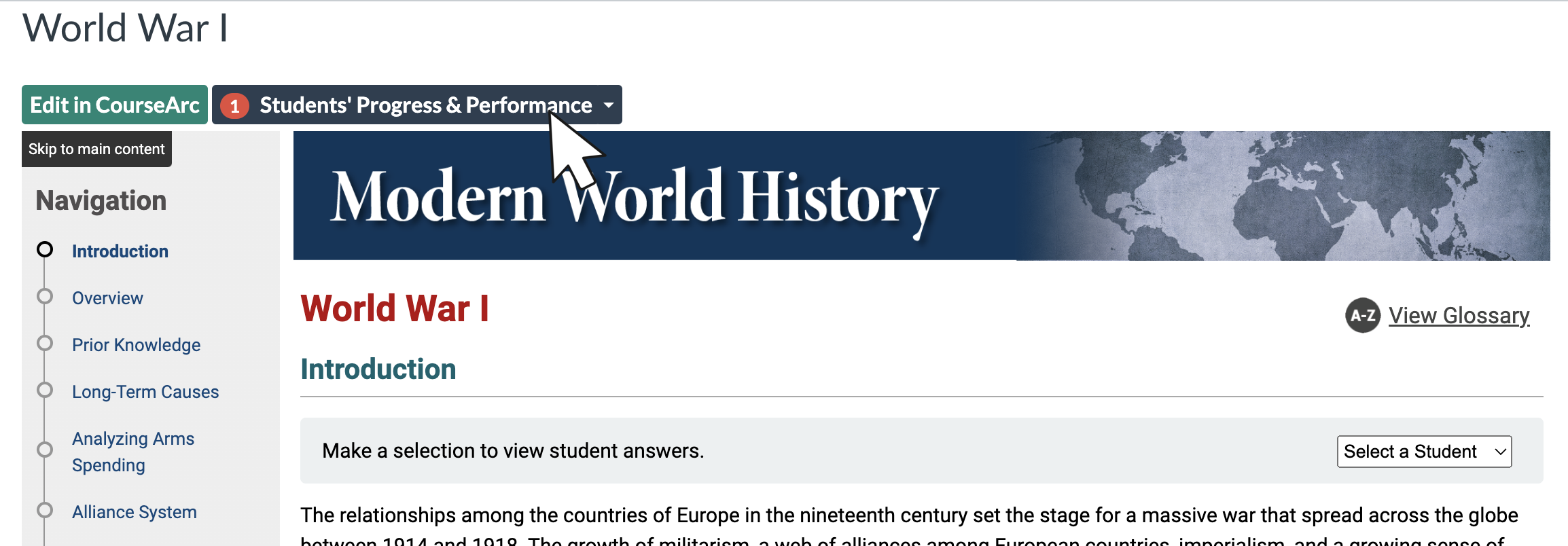
The Student Progress & Performance view will display.
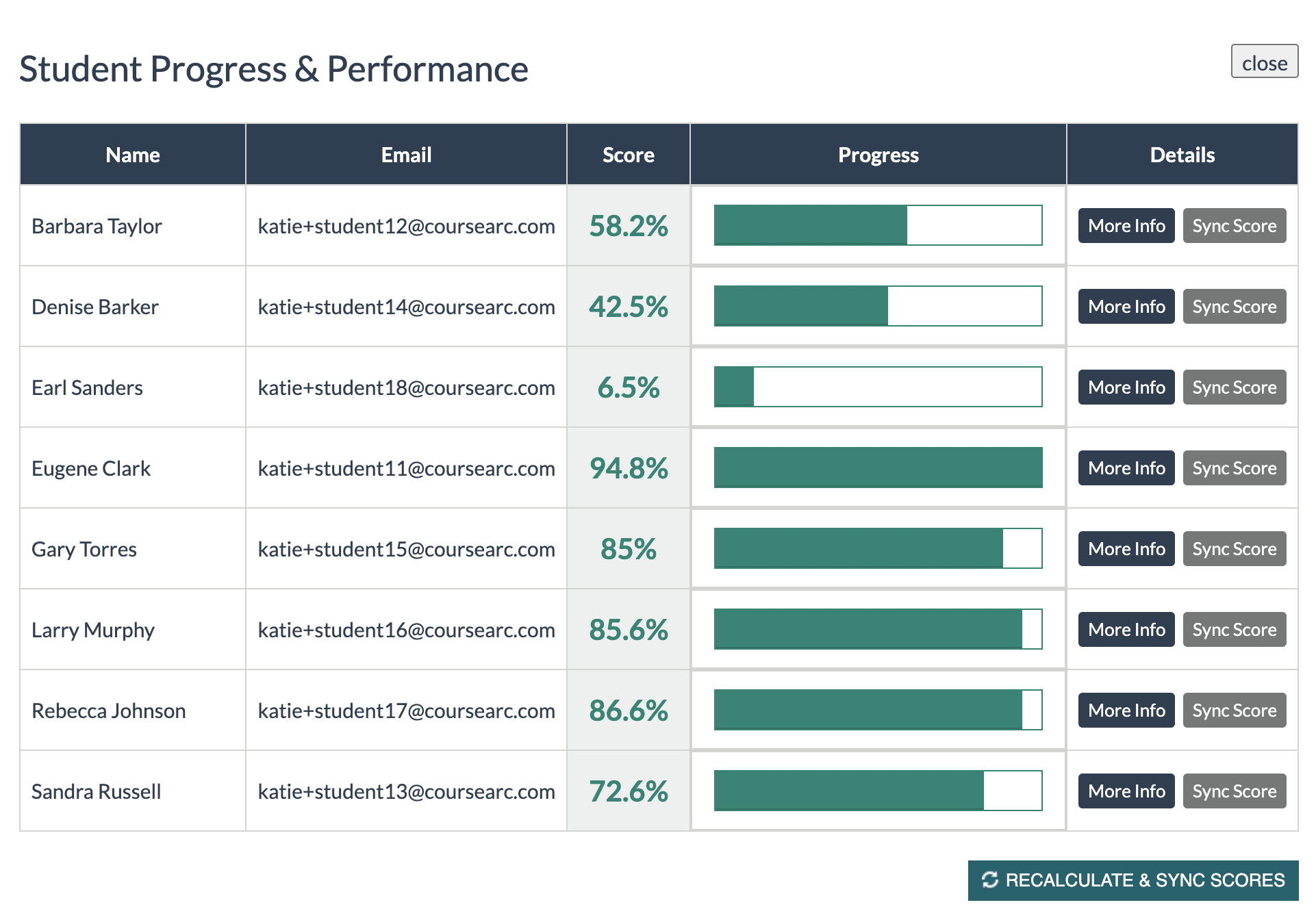
To update a student score, select Sync Score for the individual.
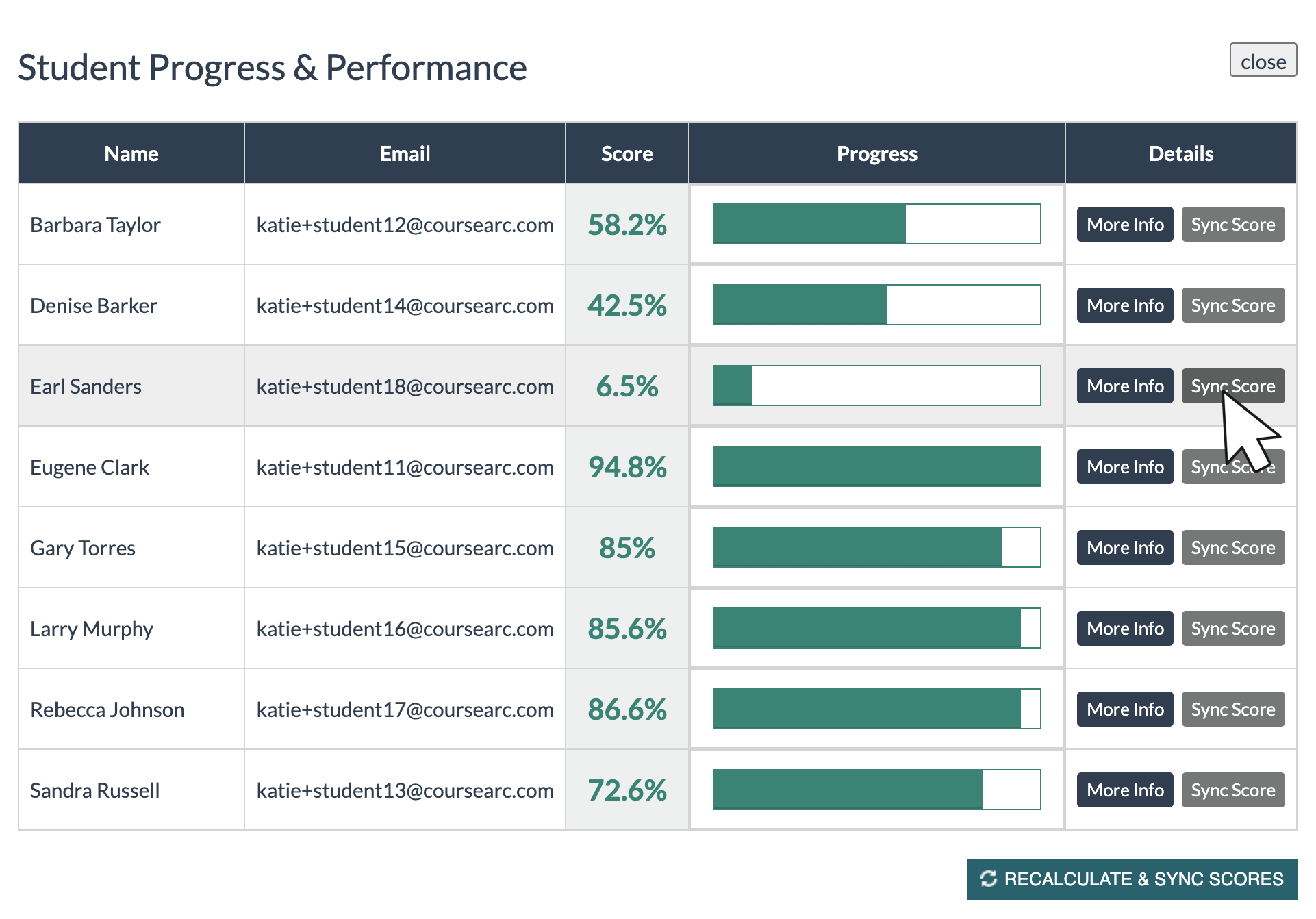
To update all student scores, select ⟳RECALCULATE & SYNC SCORES
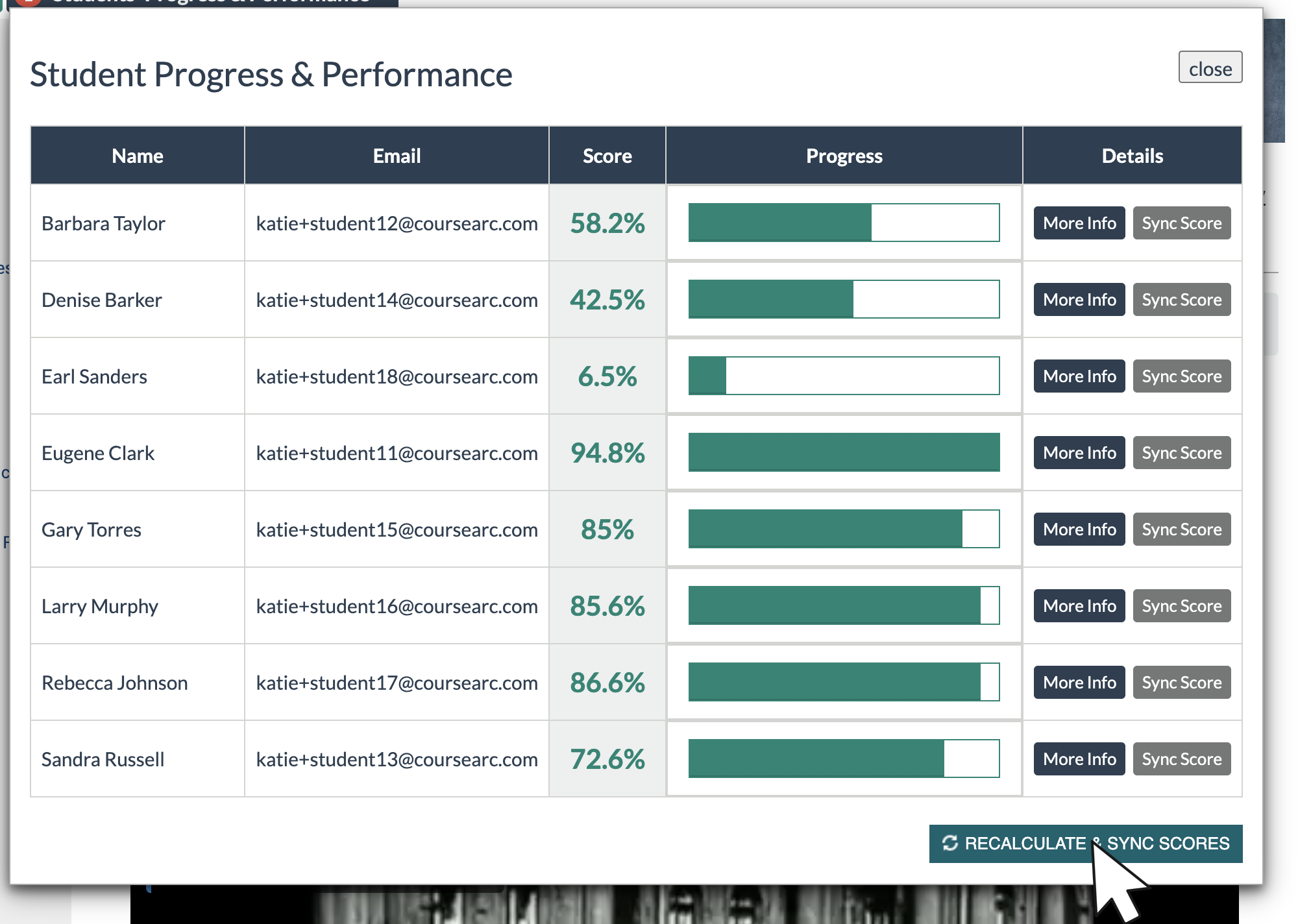
Once the recalculate and sync process is completed, the Student Progress & Performance dashboard updates with the current progress and scores for each student enrolled in the course.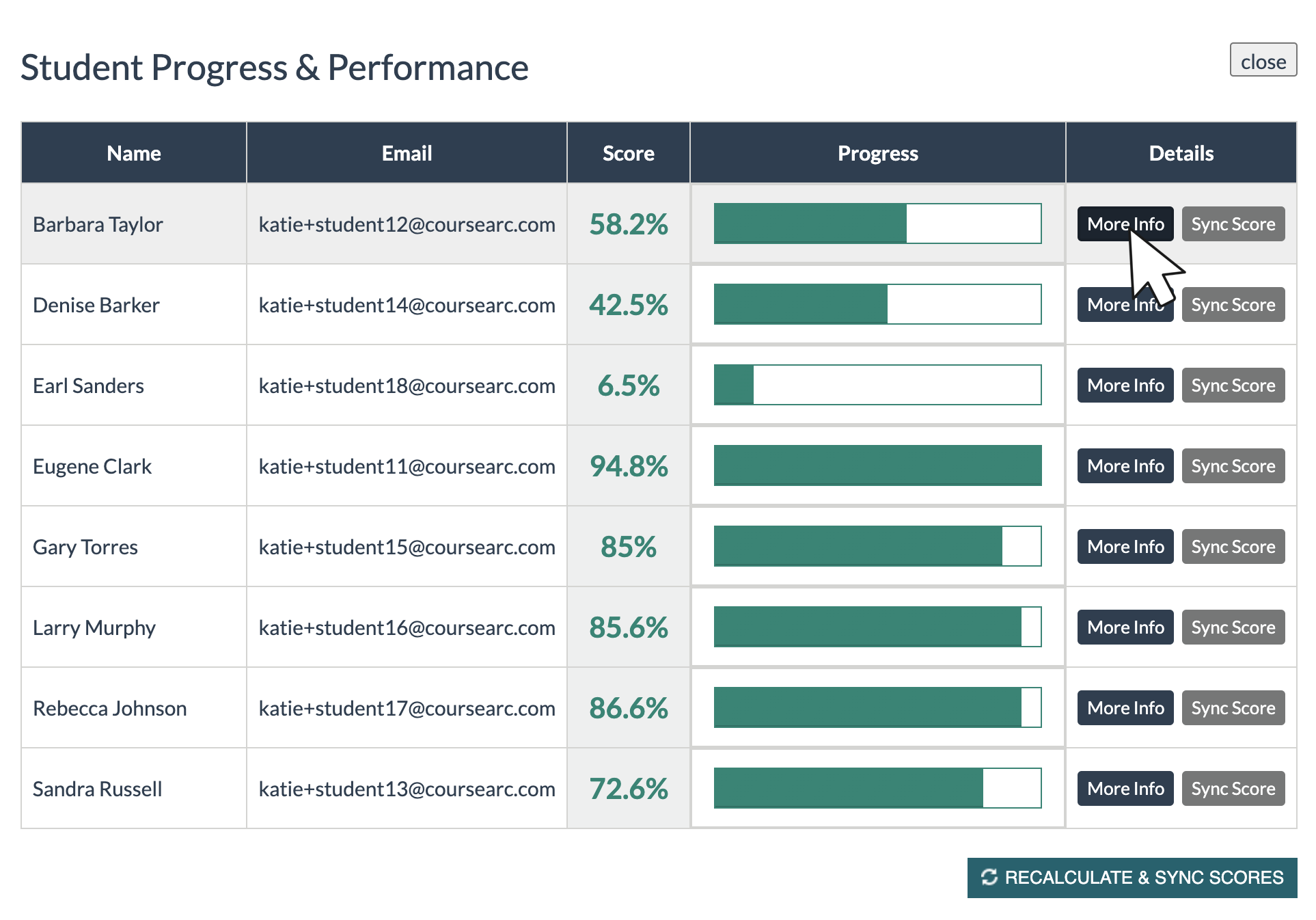
Under normal circumstances, student progress and scores update automatically. Instructor or student intervention to recalculate and sync scores should not be necessary on a regular basis. If it is happening regularly, please submit a ticket.
A more common scenario that requires the recalculate and sync scores function is when an instructor makes adjustments to page point values or activity point values after some students have completed an activity.
In this example, the instructor has assigned five points to each course page after students have already started work in the course.
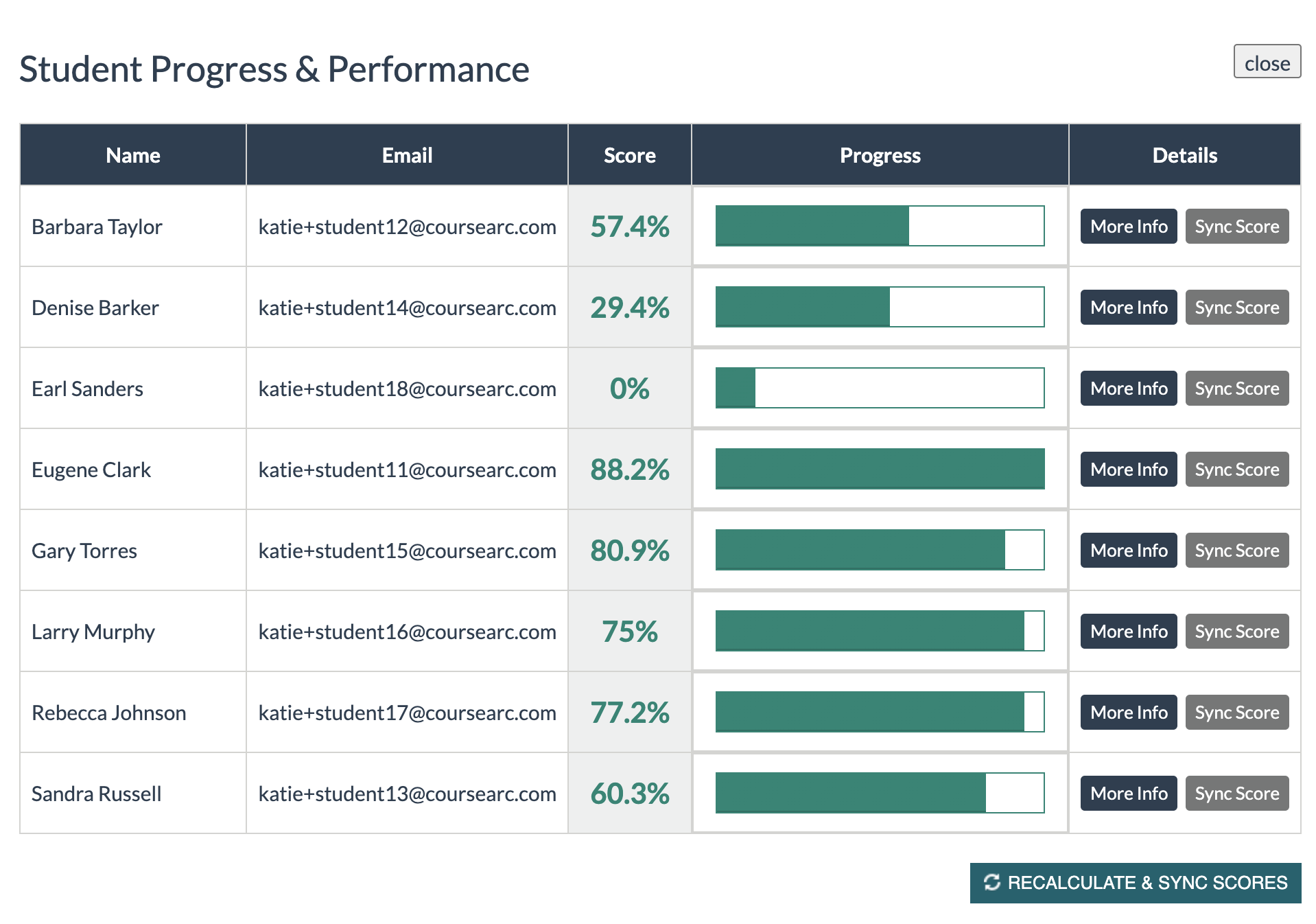
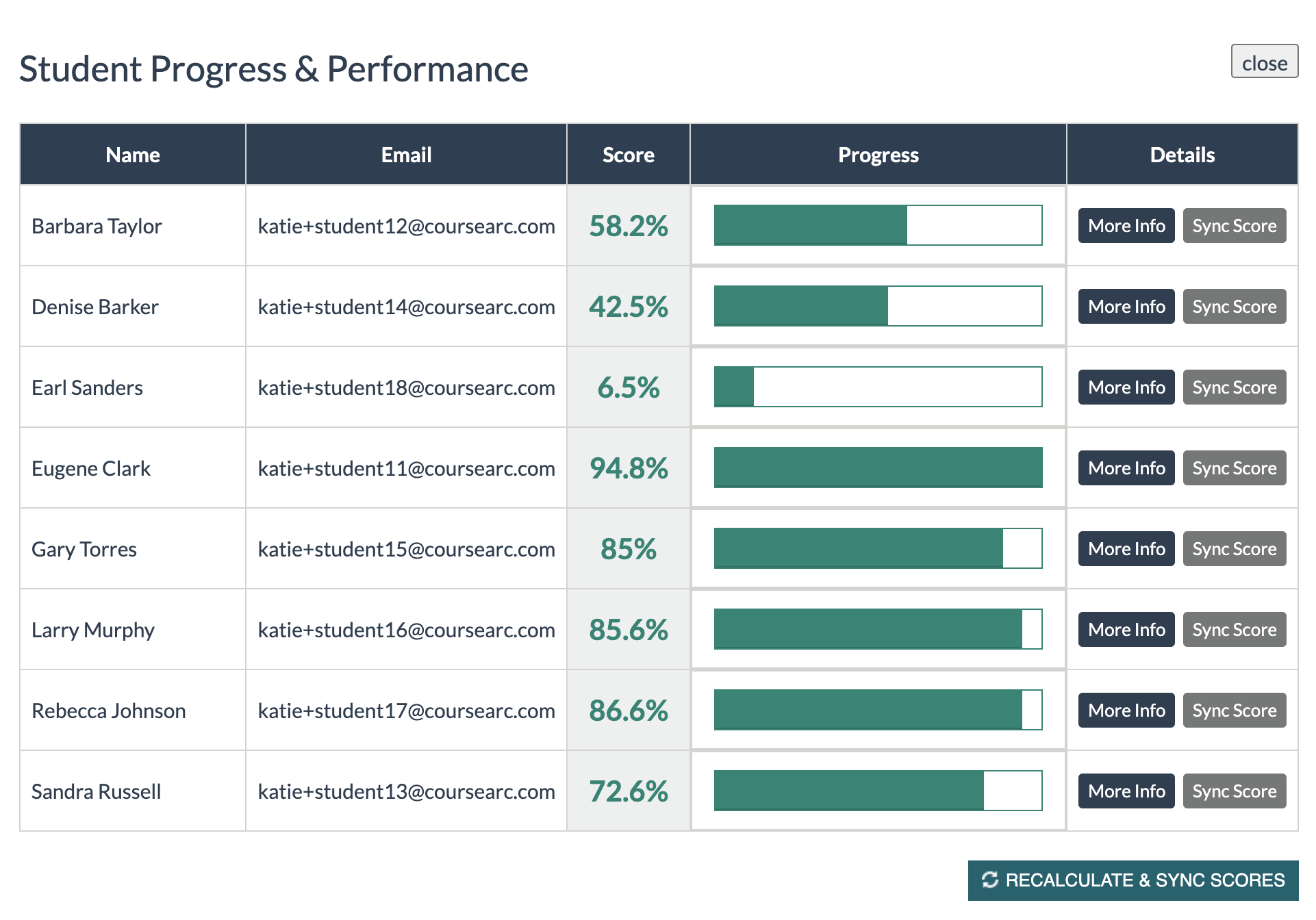
Note that while the students' progress doesn't change, all the students' scores increased due to the instructor updating the course to award points for each completed page. The Recalculate and Sync Scores option assigns these completed-page points to each student's score.
Was this article helpful?
That’s Great!
Thank you for your feedback
Sorry! We couldn't be helpful
Thank you for your feedback
Feedback sent
We appreciate your effort and will try to fix the article